
By Jack Pan — Founder of Cartosketch, developer, designer, and map enthusiast
دُبَيّ · Dubai: A Destination Poster of the Most Engineered Skyline on Earth
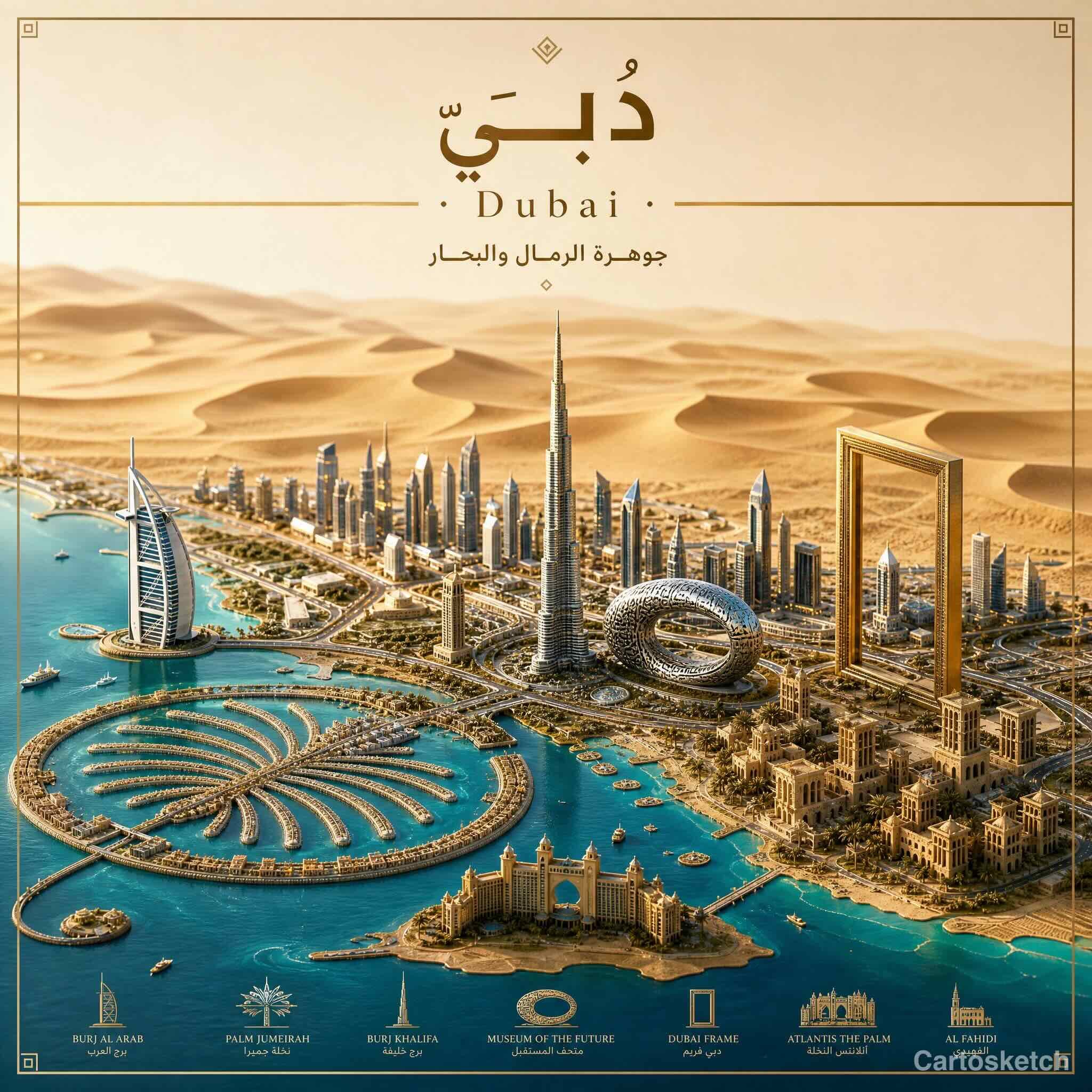
Day 4 of the Destination Poster series. Burj Khalifa, Palm Jumeirah, Museum of the Future, the Dubai Frame — stitching the city's defining buildings into one isometric relief poster, with دُبَيّ as the headline.
Dubai is the most human-made skyline on Earth — almost nothing in the frame is older than 1990. That makes it interesting to compose: there's no medieval old town to anchor the eye, just landmark after landmark, each one designed to be photographed.
Composing a brand-new city
Old cities compose themselves: there's a center, there are walls, there's a river. Dubai composes itself differently — it's a string of landmarks along a coastline, each one a small icon. The poster lays them out along that coastline: Burj Al Arab on the left, the Marina towers and Burj Khalifa rising mid-frame, Museum of the Future's ornamented oval beside it, Dubai Frame on the right edge. The Palm Jumeirah's frond pattern sits in the foreground, Atlantis at its tip; the desert dunes rise behind the city to the horizon.
Below the main composition is a row of landmark callouts — Burj Al Arab, Palm Jumeirah, Burj Khalifa, Museum of the Future, Dubai Frame, Atlantis The Palm, Al Fahidi — each with a small icon and its name in both Latin and Arabic. That bottom strip is one of the differentiators of the Cartosketch poster format: it gives the wall-hanger a built-in legend.
Square or portrait?
Dubai works in square 2048×2048 because the landmarks are coastline-aligned — horizontal real estate carries the design. Portrait would force vertical compression and lose the Palm. Rome and Marrakech go portrait because their geography is vertical (hills, walls, mountains); Dubai goes square. If you're framing for a wide wall above a sofa, generate the 3840×2160 landscape variant instead and crop the Palm into the foreground.
Make a Dubai poster
- Type دُبَيّ (Arabic) for an Arabic-headlined poster, or "Dubai" for Latin.
- Pick 2048×2048 (square) for a balanced framed print; 3840×2160 (landscape XL) for above-couch wide art.
- Generate, then refine to swap in any landmark we missed ("add Atlantis The Royal", "emphasize the Marina skyline").
- Export the watermark-free PNG and send to your print service.
FAQ
- Is the geography accurate enough to use the poster as a real Dubai map?
- The poster is a stylized travel poster, not a navigational map — landmark sizes are exaggerated for visual balance, and the coastline is simplified. For wayfinding, use a real map; for a wall, this is the goal.
- Can I add a custom tagline instead of the model's choice?
- Yes. After the first generation, send a refinement: "replace the tagline with 'My trip to Dubai, March 2026'". The model edits the existing image in place.
- Does the poster work for other Gulf cities (Abu Dhabi, Doha, Manama)?
- Yes. The pipeline is place-agnostic — type Abu Dhabi or أبو ظبي and the model picks the right local landmarks (Sheikh Zayed Mosque, Etihad Towers, Louvre Abu Dhabi).
Founder of Cartosketch — developer, designer, and map enthusiast.