
Ghibli Style Map Art: Turn Any Place Into a Whimsical Storybook Landscape
Turn a real place — a coastline, a winding mountain road, or a fairytale town — into a Ghibli-inspired map. Real Mapbox geography, hand-drawn look, and print-ready resolution up to 4K.
All artwork in this article was generated with Cartosketch — an AI tool that re-styles real Mapbox geography and GPS routes.
Ghibli style transforms a map into a scene from a whimsical, hand-painted anime classic. With lush greens, soft watercolor textures, and a nostalgic, dreamlike light, it turns standard roads and buildings into a landscape that feels alive and full of wonder. There are no cold digital lines here—only the warmth of a storybook ready to be framed. This guide shows you how to turn any real location into a beautiful Ghibli-inspired map print.
A short history of Ghibli style
Studio Ghibli was founded in Tokyo in 1985 by directors Hayao Miyazaki and Isao Takahata, alongside producer Toshio Suzuki. Throughout decades of shifting industry standards, the studio famously championed hand-painted background art over cold digital rendering. Their visual style is defined by lush, overgrown nature, soft watercolor sky washes, and a gentle pastoral nostalgia. It is an aesthetic deeply connected to the Japanese concept of *mono no aware*—a gentle, beautiful sadness at the transience of things. That painterly detail and emotional warmth are what make the "Ghibli look" universally loved and instantly recognizable.
Why Ghibli works on a map
A map usually focuses on utility, but a Ghibli-style map focuses on emotion. It softens concrete and asphalt into gentle stone paths and surrounds roads with vibrant, hand-painted forests and meadows. Coastal waters take on the deep, layered blues of classic anime oceans, while building roofs are bathed in a warm, late-afternoon sunlight. It works beautifully for places that carry personal sentiment or fairytale charm—coastal islands, national parks, winding countryside routes, or medieval villages.
The geography stays grounded in the real Mapbox view you frame. The shape of the coast, the winding path of the roads, and the locations of key buildings are all preserved from actual map data. AI then repaints this structure with painterly textures and Ghibli's signature light; it does not invent a fictional fantasy world.
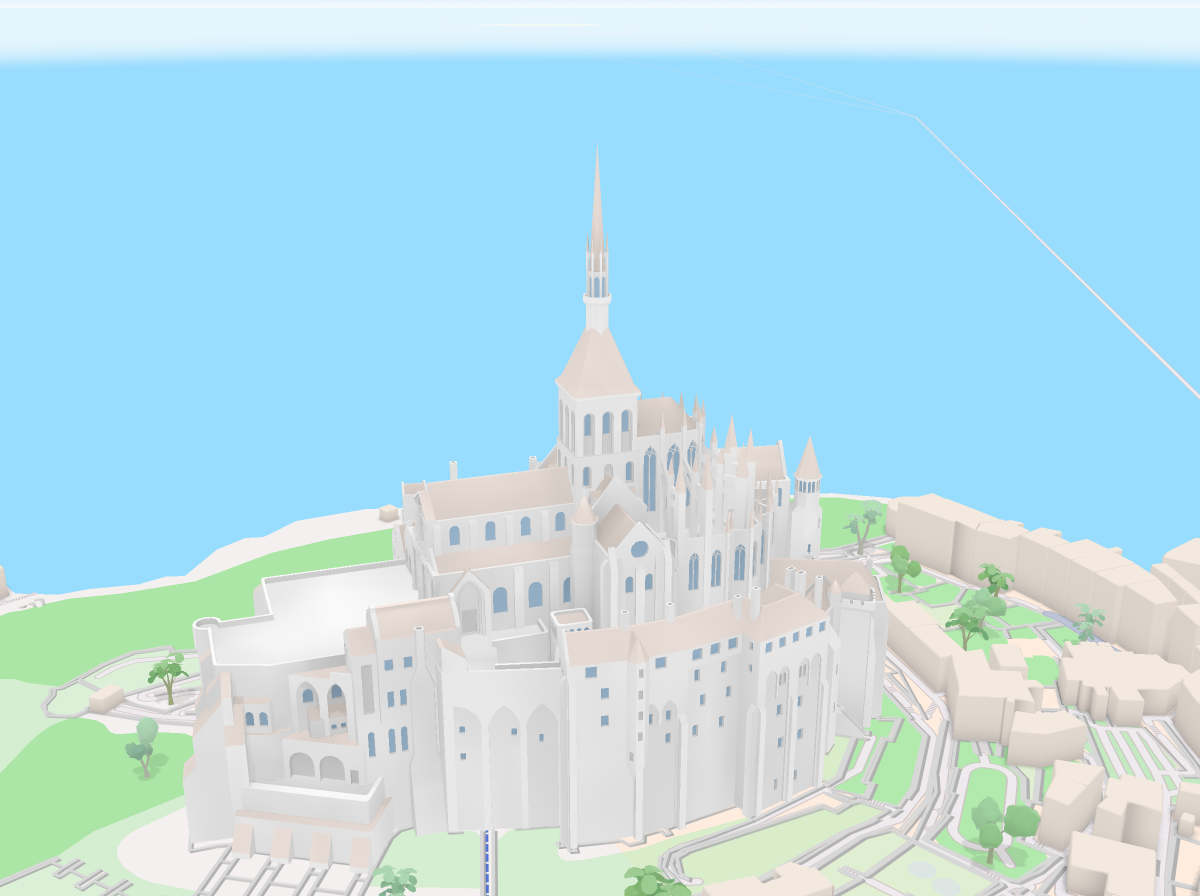
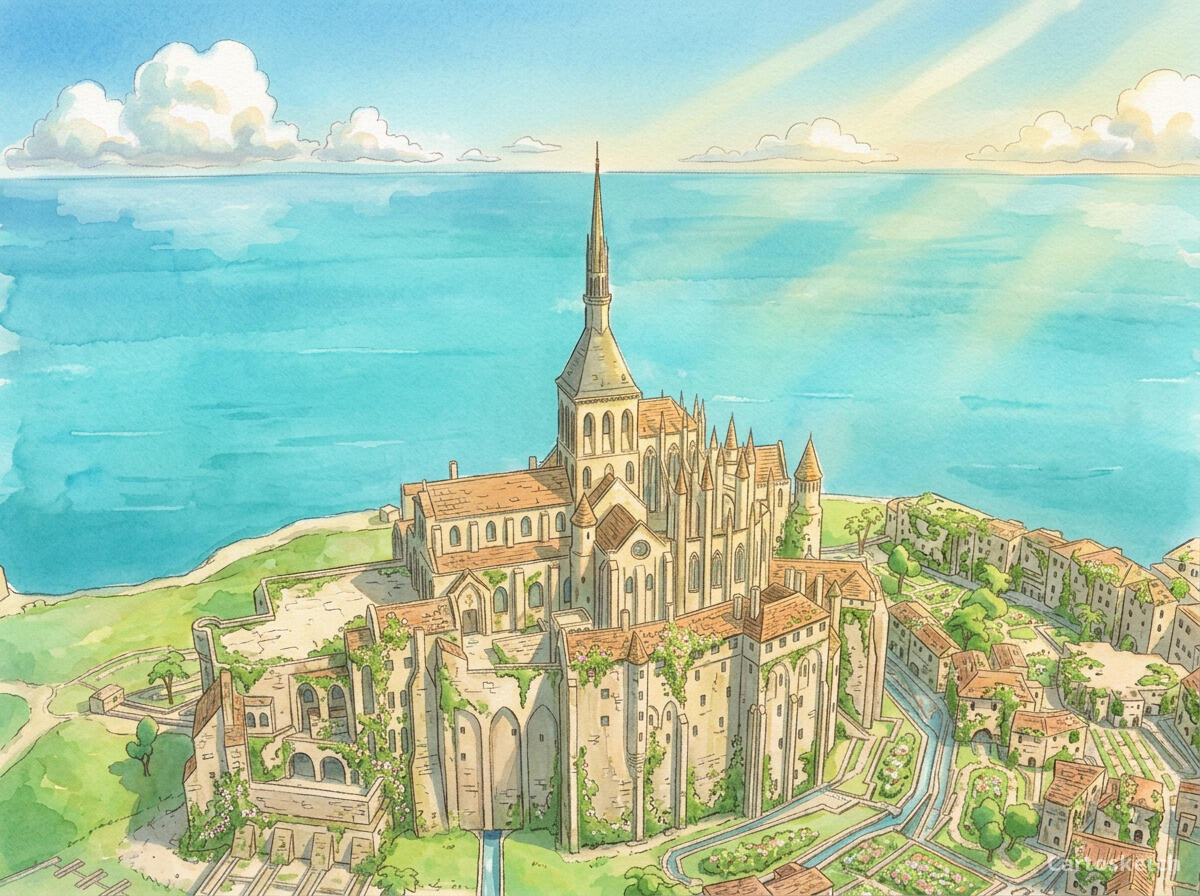 Cartosketch
Mapbox
Cartosketch
Mapbox
How to make your own
- Open Cartosketch → New Map, search the place or drag the map to frame it.
- Pick Standard or Satellite; set zoom, bearing, and pitch to capture the composition.
- Choose the Ghibli style.
- Generate — in seconds you get a finished piece with the real geography preserved.
- Download up to 4K and print or frame it. Commercial use is included on every plan.
Print sizes & resolution
| Plan | Max resolution | Aspect ratio | Good for |
|---|---|---|---|
| Free | 0.5K | 1:1 square | Social posts, a quick test print |
| Paid | Up to 4K | Any (incl. portrait/landscape) | Framed wall art, large-format prints |
Frequently asked questions
- Is this AI?
- Yes. Cartosketch re-styles real Mapbox geography with an AI model — the layout is real and preserved; the Ghibli-inspired watercolor look and hand-drawn feel are generated.
- Is it the real place, or a generic illustration?
- The real place. It is built from the actual map view you frame, so streets, coastlines, water, and building layouts match reality.
- How is Ghibli style different from watercolor?
- While both feature watercolor textures, Ghibli style has a distinct anime feel. It includes richer colors, more defined shapes, more lush greenery, and a dramatic, nostalgic lighting reminiscent of theatrical animated films.
- Can I print and sell it?
- Print at any size up to your plan's resolution; commercial use is included on every plan. Just don't reuse an official name or logo as branding.
- How much does it cost?
- New accounts get one free credit. Paid plans add higher resolution (up to 4K), custom aspect ratios, and more credits.
New accounts get one free credit — no credit card required.