
Mecha Map Art: Turn Any City Into a High-Tech Robotic Grid
Turn a real place — Tokyo, New York, or any metropolitan grid — into a futuristic Mecha-style map. Real Mapbox geography, industrial panel lines, and print-ready resolution up to 4K.
All artwork in this article was generated with Cartosketch — an AI tool that re-styles real Mapbox geography and GPS routes.
Mecha style reimagines standard cartography as a high-tech armor plate of a giant robotic warrior. Defined by clean industrial panel lines, mechanical grooves, and glowing power conduits overlaying the streets, this style turns city grids into complex electronic circuit boards and heavy armored surfaces. It is a bold, futuristic look designed for geeks, sci-fi fans, and lovers of industrial aesthetics. This guide shows how to transform any metropolitan grid into a striking Mecha-style map print.
A short history of Mecha style
The Mecha genre originated in Japanese manga and anime during the mid-20th century. While early depictions showed fantastical super-robots, it was the landmark series *Mobile Suit Gundam* (1979, directed by Yoshiyuki Tomino) that pioneered the "Real Robot" subgenre. This shifted mecha design toward plausible industrial machinery: modular armors, exposed panel lines, mechanical joints, and functional warnings. The aesthetic is celebrated for its intricate surface details, mechanical paneling, and technical labeling—a visual language that treats objects as complex industrial structures.
Why Mecha style works on a map
A map is naturally a network of lines and shapes, making it the perfect canvas for a Mecha style. City blocks are transformed into armored segment plates, while streets and railways are re-rendered as glowing energy conduits, fiber-optic tracks, or mechanical grooves. Major landmarks and buildings become armored components, and coastlines take on a sharp, fortified industrial look. With a dark, high-contrast color palette accented by neon red or blue glowing lines, it brings a commanding sci-fi atmosphere to your wall.
Crucially, the geography remains accurate. The streets of Tokyo, the coastline of the harbor, and the position of landmarks are preserved from real Mapbox data. The AI then styles these pathways as mechanical grooves and panels, ensuring the geography is authentic while delivering a high-tech aesthetic.
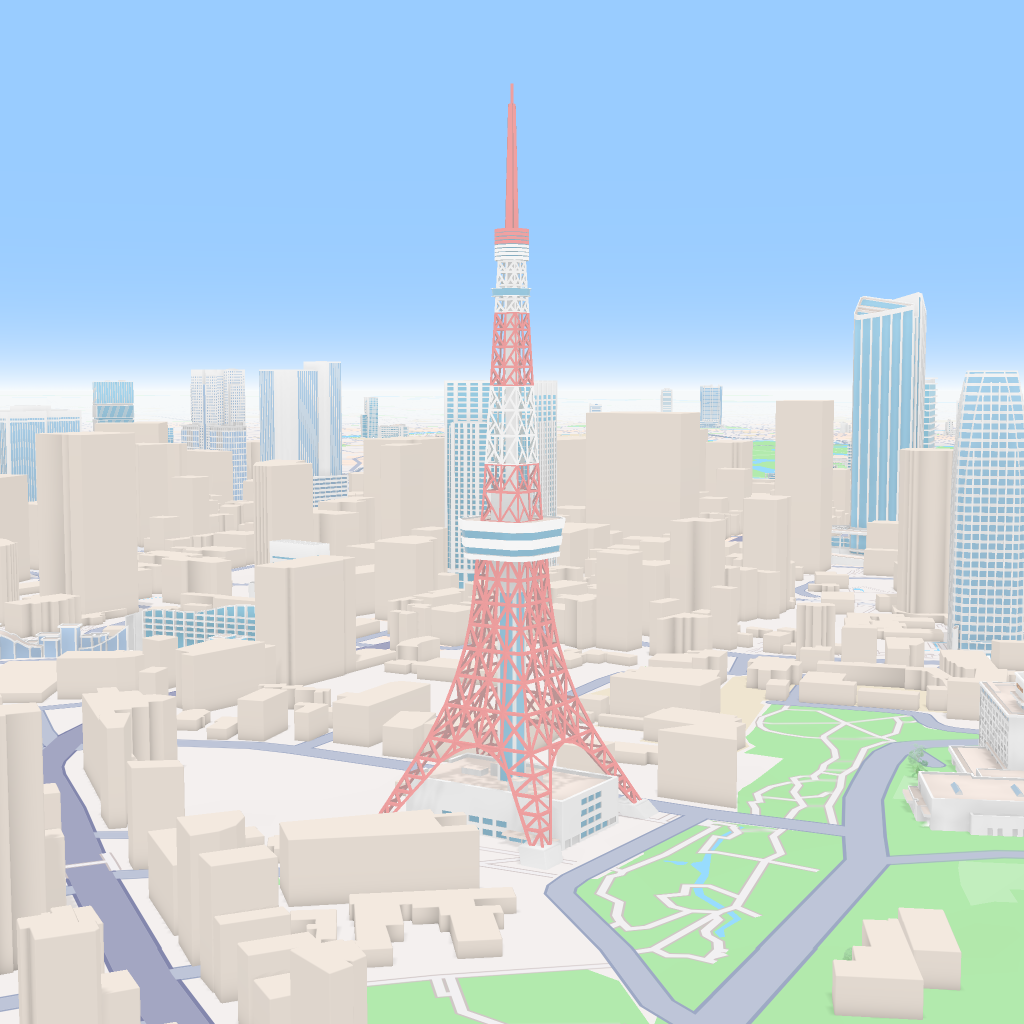
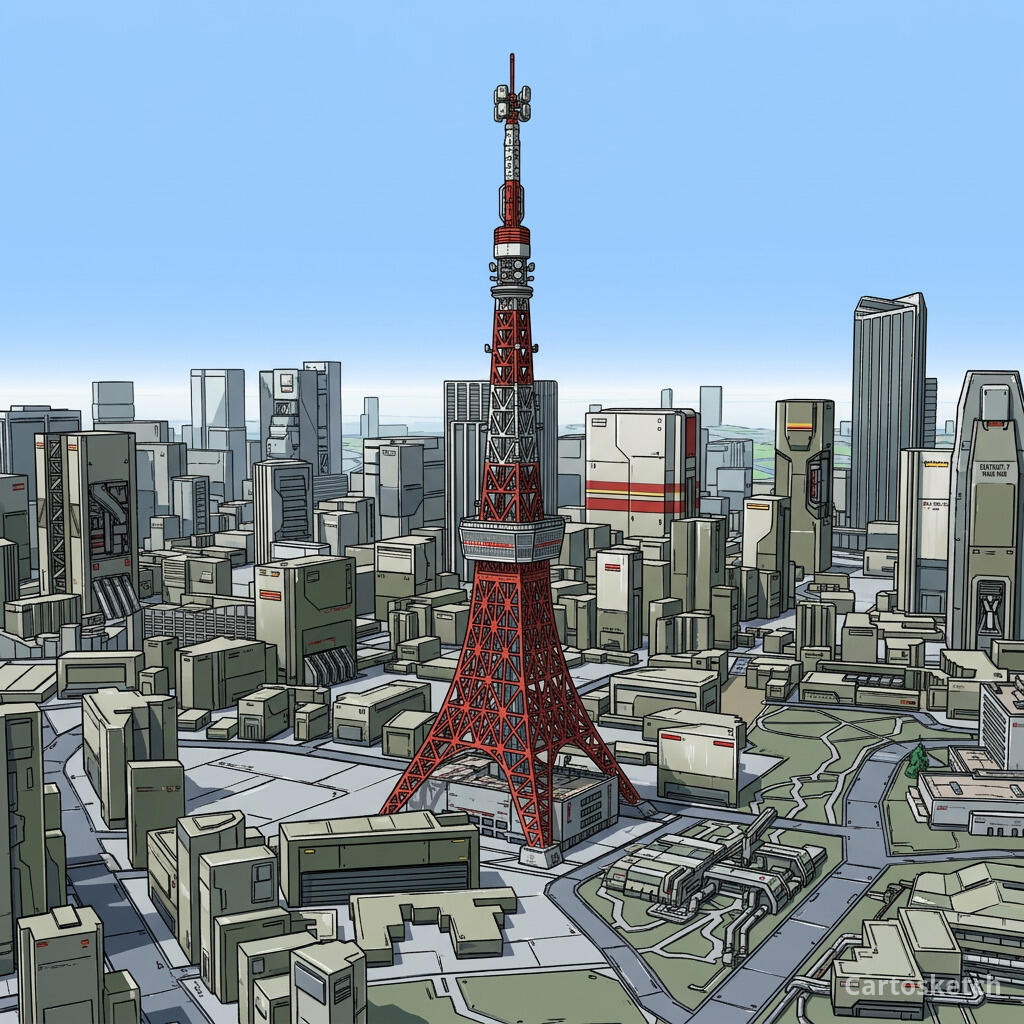 Cartosketch
Mapbox
Cartosketch
Mapbox
How to make your own
- Open Cartosketch → New Map, search the place or drag the map to frame it.
- Pick Standard or Satellite; set zoom, bearing, and pitch to capture the composition.
- Choose the Mecha style.
- Generate — in seconds you get a finished piece with the real geography preserved.
- Download up to 4K and print or frame it. Commercial use is included on every plan.
Print sizes & resolution
| Plan | Max resolution | Aspect ratio | Good for |
|---|---|---|---|
| Free | 0.5K | 1:1 square | Social posts, a quick test print |
| Paid | Up to 4K | Any (incl. portrait/landscape) | Framed wall art, large-format prints |
Frequently asked questions
- Is this AI?
- Yes. Cartosketch re-styles real Mapbox geography with an AI model — the layout is real and preserved; the high-tech mecha paneling and neon conduits are generated.
- Is it the real place, or a generic illustration?
- The real place. It is built from the actual map view you frame, so the streets, coastlines, and landmarks match reality.
- Can I print and sell it?
- Print at any size up to your plan's resolution; commercial use is included on every plan. Just don't reuse an official name or logo as branding.
- How much does it cost?
- New accounts get one free credit. Paid plans add higher resolution (up to 4K), custom aspect ratios, and more credits.
New accounts get one free credit — no credit card required.