
Oil Painting Map Art: Turn Any Place Into a Rich, Textured Landscape
Turn a real city, park, or coastline into oil painting map art with layered colour and canvas texture. Real Mapbox geography, a painterly finish, and print-ready resolution up to 4K.
All artwork in this article was generated with Cartosketch — an AI tool that re-styles real Mapbox geography and GPS routes.
Oil painting gives a map weight. Thick-looking brushwork, layered colour, and deep shadows turn streets and buildings into a landscape that feels made for a frame rather than a screen. It is especially effective when a place has strong geometry and a large natural anchor — a park, river, harbour, or coastline. This guide shows how to turn any real location into richly textured oil painting map art.
A short history of oil painting
Artists had mixed pigments with oils for centuries, but early Netherlandish painters transformed the medium in the 15th century by refining layered applications and luminous glazes. Oil dries slowly enough to blend colour, revise forms, and build depth over multiple passes. Later painters pushed it in different directions: Rembrandt used heavy highlights and tactile surfaces, while Impressionists carried paint outdoors and broke light into visible strokes of colour. That range — from smooth atmosphere to bold impasto — is what makes oil painting such a flexible visual language.
Why oil painting works on a map
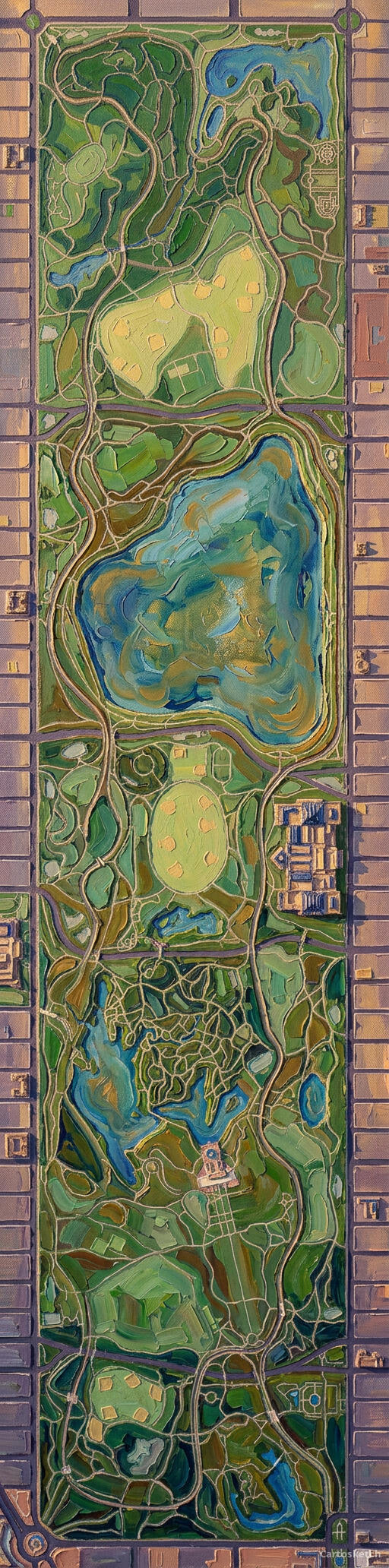
Maps already contain the ingredients of a landscape painting: directional streets, blocks of architecture, open water, and patches of green. Oil-painting texture helps those layers separate. Roads become deliberate strokes, roofs catch warm highlights, trees gather into masses of colour, and water gains reflected light. The style suits places with a clear focal point and strong contrast — grand parks inside dense cities, old European centres, rugged coasts, and skylines beside a river.
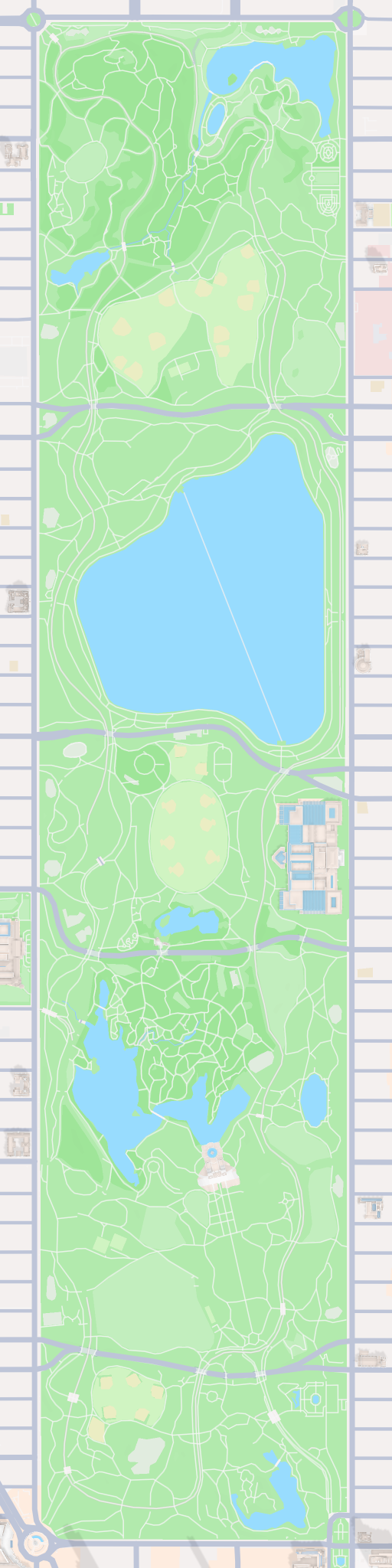
The geography stays exact. The shape of the park, the surrounding street grid, the lakes, paths, and building footprints all come from the real Mapbox view you frame. AI changes the surface into layered paint and canvas texture; it does not replace the location with a generic landscape.
 Cartosketch
Mapbox
Cartosketch
Mapbox
How to make your own
- Open Cartosketch → New Map, search the place or drag the map to frame it.
- Pick Standard or Satellite; set zoom, bearing, and pitch until the main shape reads clearly.
- Choose the Oil Painting style.
- Generate — in seconds you get a finished piece with the real geography preserved.
- Download up to 4K and print or frame it. Commercial use is included on every plan.
Print sizes & resolution
| Plan | Max resolution | Aspect ratio | Good for |
|---|---|---|---|
| Free | 0.5K | 1:1 square | Social posts, a quick test print |
| Paid | Up to 4K | Any (incl. portrait/landscape) | Framed wall art, large-format prints |
Frequently asked questions
- Is this AI?
- Yes. Cartosketch re-styles real Mapbox geography with an AI model — the layout is real and preserved; the oil painting texture and colour are generated.
- Is it the real place, or a generic illustration?
- The real place. It is built from the actual map view you frame, so streets, parks, water, and landmarks match the location.
- Can I print and sell it?
- Print at any size up to your plan's resolution; commercial use is included on every plan. Just don't reuse an official name or logo as branding.
- How much does it cost?
- New accounts get one free credit. Paid plans add higher resolution (up to 4K), custom aspect ratios, and more credits.
New accounts get one free credit — no credit card required.