
Edit Your Map and Route Art with AI Chat
Ask for a change to an existing Cartosketch image, review the edit and credit quote, and keep earlier versions while refining the result.
Toutes les images de cet article ont été générées avec Cartosketch — un outil d'IA qui restylise une géographie Mapbox réelle et des itinéraires GPS.
Once a Map or Route has a generated image, use its chat to request a visual change. A proposed edit shows what will change and its credit cost. It only runs after you select Apply edit, and the result becomes a new version.
A verified edit: light snowfall in Paris
This example comes from a completed Cartosketch Map generation and a subsequent chat edit on 24 October 2026. The request was: “Add a light snowfall to this image, keep everything else the same.” The original and edited versions both measured 1792×2400 pixels (2K, 3:4), and each operation cost 2 credits.
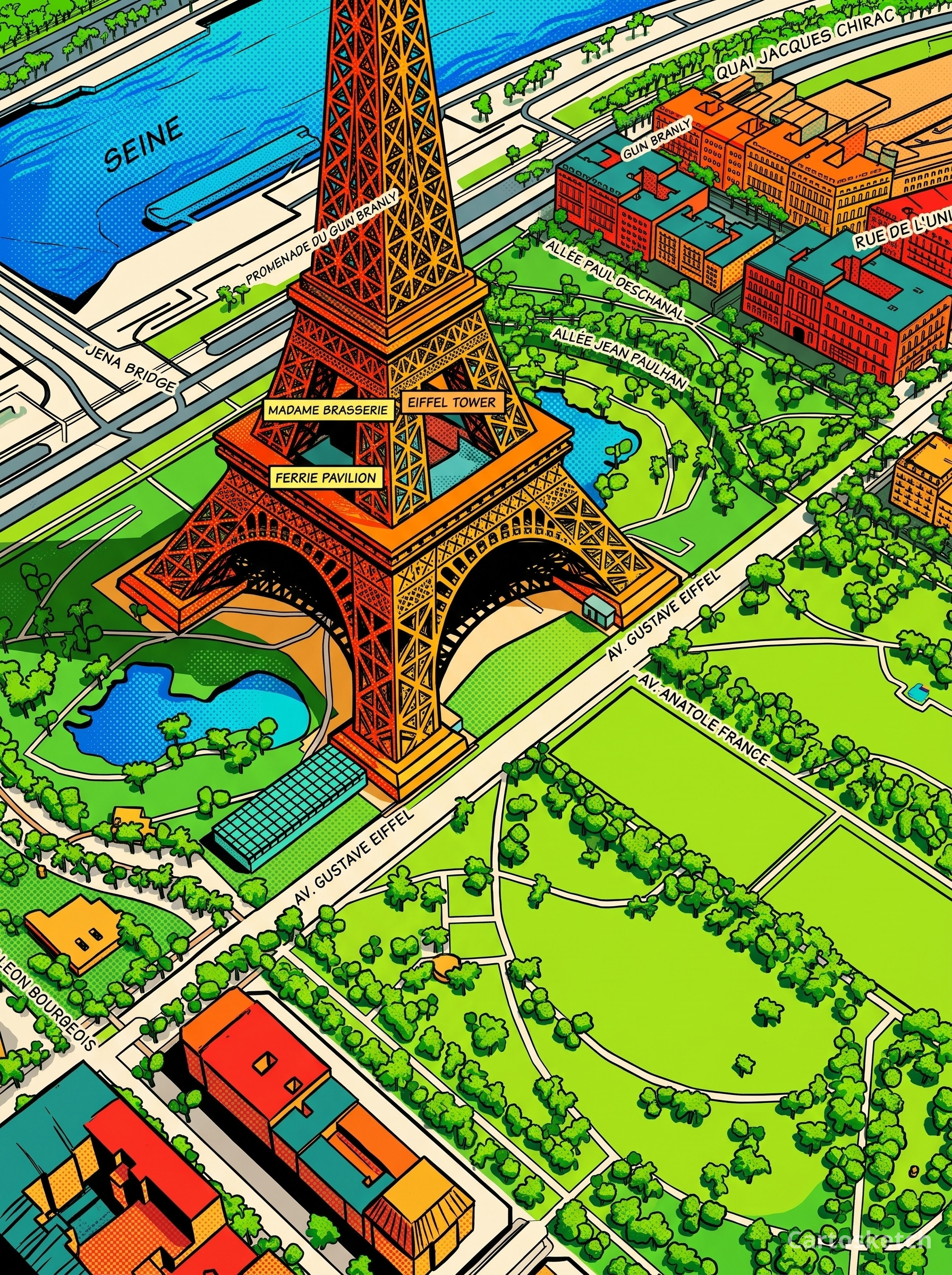 Before edit
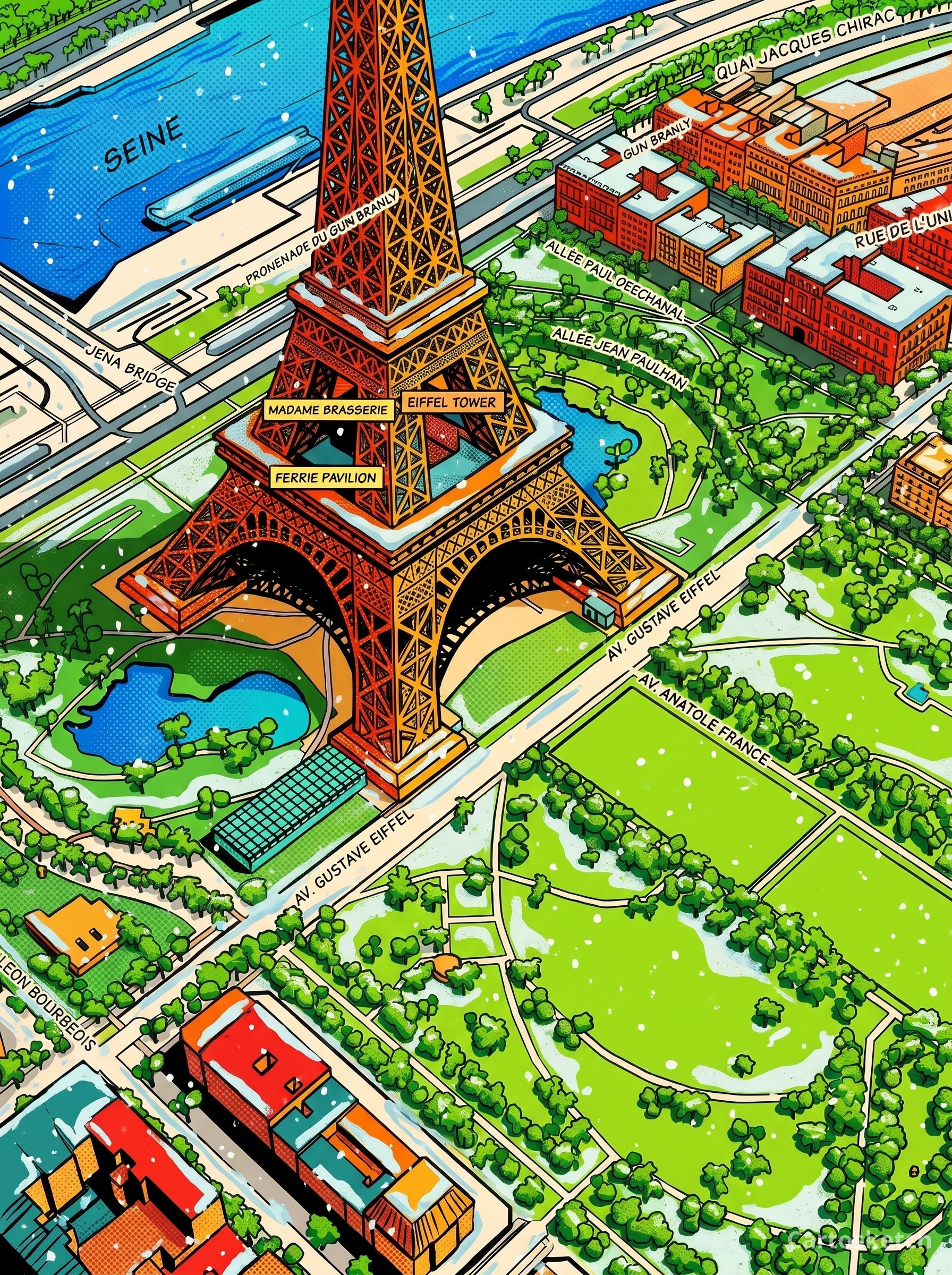 Cartosketch
Snow appears on rooftops, paths and the tower while the main composition remains recognizable. Fine lettering and details can still change: inspect the new version before printing. This is a Map example, not evidence that a Route overlay or a playable World was edited. The earlier version remains available in the artwork history.
Edit the picture or regenerate from the map?
| Request | Best path |
|---|---|
| Warmer light, a softer palette, fewer decorative elements | Request an image edit |
| A different place, map framing, ratio or map labels | Change settings and regenerate |
| A new art style | Review the changed style setting and regenerate |
| A different recorded route | Upload the correct GPX/FIT and create a Route |
| Changes to a playable World | Use the World workflow; image edits do not edit game saves |
For an image edit, name the change and the elements you want retained. “Make the light warmer, keep the framing and buildings” is more useful than “make it better.” This is an instruction for the model, not a promise of pixel-identical preservation.
Apply an edit
- Open the chat linked to the Map or Route you want to change. If you are in its editor, use Open chat.
- Wait for any active generation to finish, then describe the visual change. The image must already exist.
- Read the Image edit card. Check the instruction and credit quote before selecting Apply edit. If the proposal is wrong, clarify your request first.
- Follow the status. The composer shows a stop control while an image task is running; cancelling prevents that task from being delivered and charged.
- Open the result in the editor. Compare it with earlier versions in the artwork history before downloading. Generating an edit adds a new version rather than erasing the source.
Two requests to try
For a Map gift: “Use warmer evening light and a muted blue palette. Keep the current viewpoint and main landmark.” Check the landmark and any generated labels afterwards.
For a Route keepsake: “Soften the background colors so the route stands out. Keep the current framing.” Cartosketch edits the clean artistic basemap, then redraws the route from the saved coordinates. This keeps the track separate from the model's painting; it does not correct GPS errors or guarantee exact background geography.
These are suggested instructions. Compare your own before-and-after versions to decide whether to keep an edit.
Resolution and cost
Image generation and edits cost 1/2/3 credits for 1K/2K/4K output. An edit follows the source version's resolution when your current access supports it. If you no longer have paid access and edit a 2K or 4K version, the new edited version is 1K; the earlier version remains in history. Review the proposal's quote before confirming.
An active Plus/Pro subscription or remaining pack credits unlocks paid image features. Free downloads are watermarked JPEGs unless that version already has clean-download rights. See resolution and printing before ordering a print.
If an edit cannot proceed
| What you see | What to do |
|---|---|
| Out of date | The source artwork or proposal changed. Ask again against the current version. |
| The route needs a fresh generation | Generate the Route again to create a clean basemap before editing. |
| Waiting for credits | Add credits, then use Continue for the existing image task; do not submit the same edit again. Saved results expire after 24 hours. |
| Failed | No image credits were charged. Review the message and retry when ready. |
| Editing is unavailable | Check the displayed explanation. A retired extreme ratio may require reframing and regeneration. |
For the initial creation steps, see create with AI chat. For the finished result, explore personal map gifts or marathon posters.
Les nouveaux comptes reçoivent un crédit gratuit — sans carte bancaire. Product details