
Cartosketch vs. Adobe Firefly & Canva: Commercial Map Art Without the Template Tax
Firefly is enterprise-safe, Canva has pretty map templates — but neither starts from your actual city or your real GPS route. A look at the commercial map-art workflow on all three.
All artwork in this article was generated with Cartosketch — an AI tool that re-styles real Mapbox geography and GPS routes.
If you are selling map posters on Etsy, decorating a small business, or printing a wedding gift, the question is not just "does it look nice" — it is "can I legally print and sell this, at the size I need, of the place I actually mean?". Adobe Firefly and Canva both come at this problem from the brand-safety side. Cartosketch comes at it from the geography side. This post compares the three on the workflow that actually matters: turning a specific real place or route into a printable, commercially usable piece.
Where Firefly wins
Adobe Firefly's biggest selling point is provenance. It is trained on Adobe Stock and other licensed sources, and it is explicitly positioned as commercially safe. For corporate teams that need a paper trail on every asset, that matters. It is also tightly integrated with Photoshop and Illustrator, so generative fill becomes part of an existing design workflow rather than a separate tool. For brand work, marketing assets, and anything that has to go through legal, Firefly is a strong choice.
Where Canva wins
Canva is the easiest tool in this group to finish a poster in. The map-poster category has dozens of well-designed templates with coordinates, typography, and frames already laid out. If you want a print-ready piece in fifteen minutes and the place is one of the popular ones, Canva is great. The trade-off is that the map underneath is a template — usually a stylised illustration, not a real cartographic capture of the exact frame you want.
Where Cartosketch fits
Cartosketch is what you reach for when the real place matters and you want to print it. The geometry is captured from Mapbox the moment you frame it — the canals you want are the canals you get — and 17 curated styles cover the visual range from watercolor and ink wash to comic, blueprint, and vintage map. Every paid plan includes commercial use, with the only caveat being not to reuse official names or logos as branding.

 Cartosketch
Mapbox
Cartosketch
Mapbox
Routes are where the gap is widest
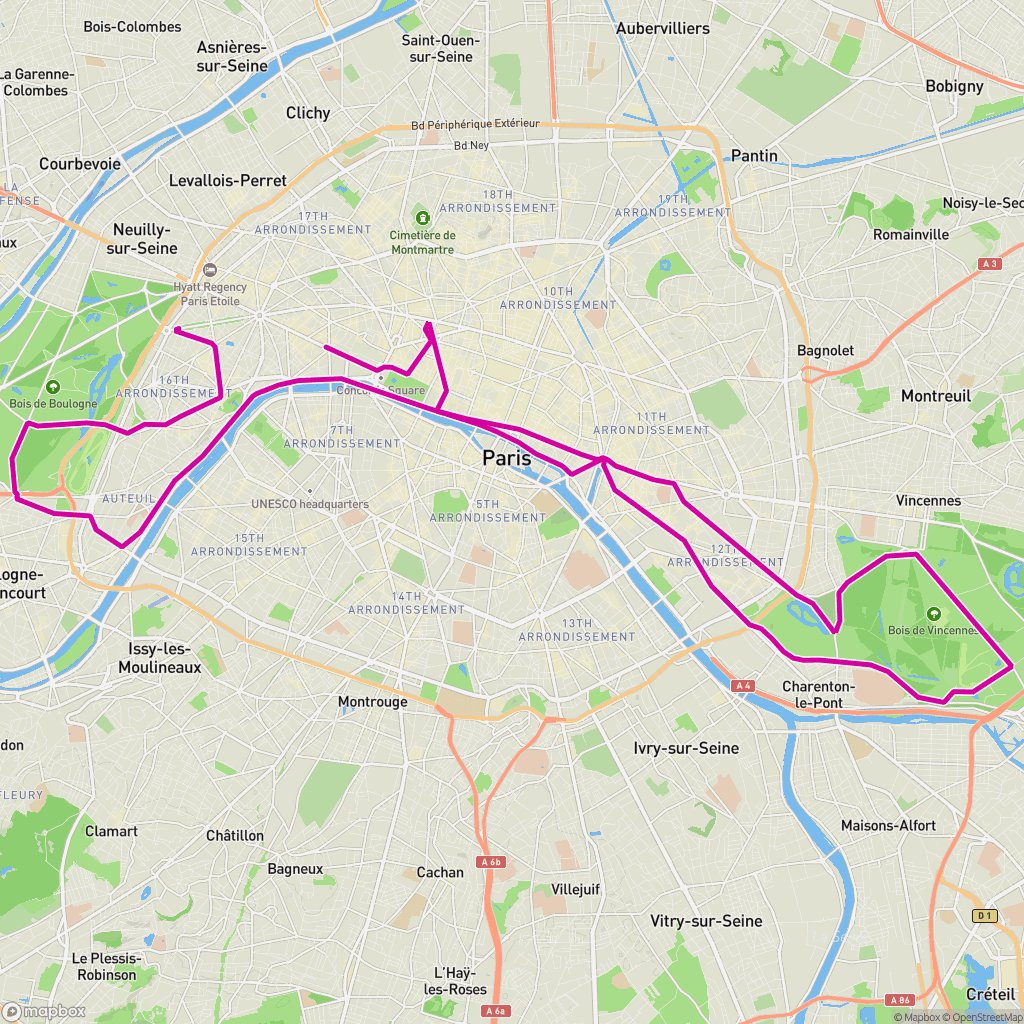
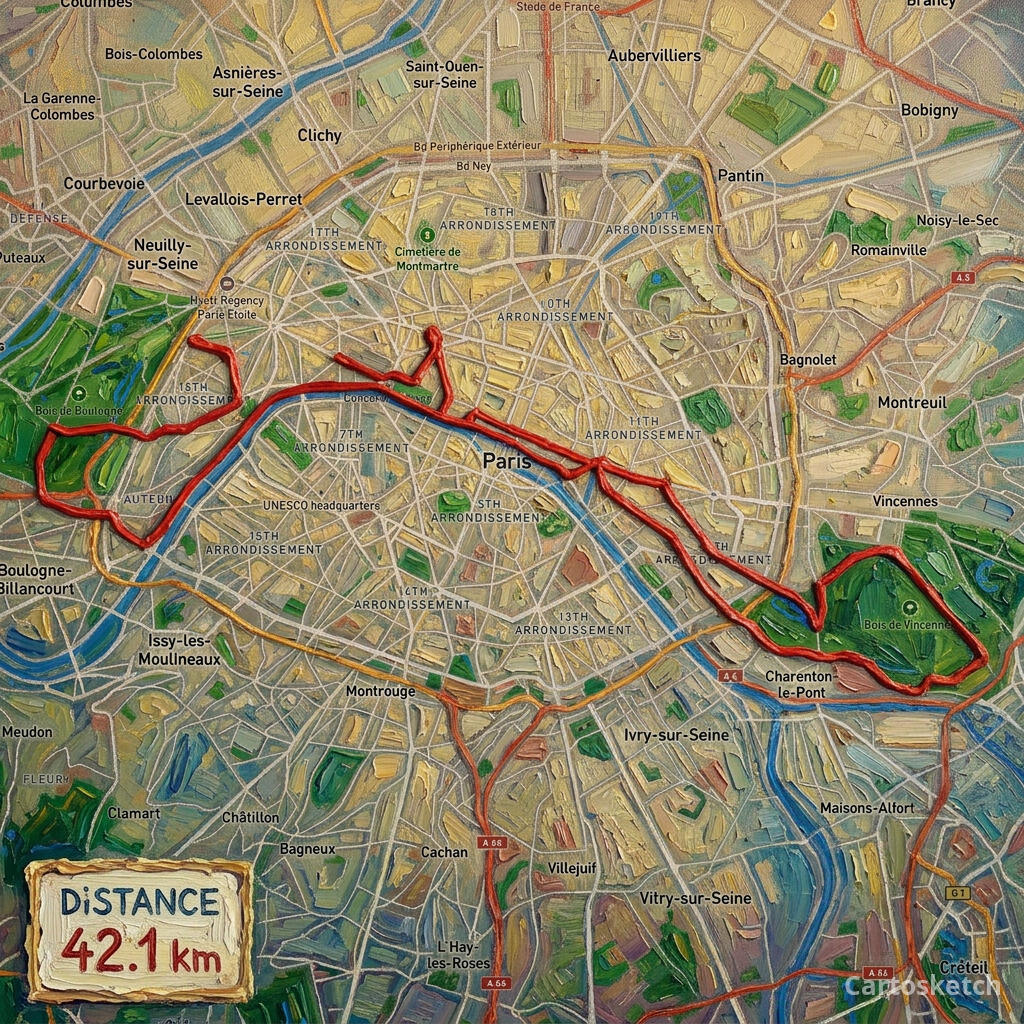
Firefly and Canva are essentially blind to GPS routes. Firefly will not ingest a GPX file as geometry; you can describe the route in a prompt and accept the hallucinated result. Canva does have line-drawing tools, so an experienced designer can manually trace a route over a basemap — but that is hours of work per piece. Cartosketch reads the GPX directly and renders the real polyline, with the stats card already wired in.
 Cartosketch
GPX on Mapbox
Cartosketch
GPX on Mapbox
Dimension-by-dimension
| Dimension | Adobe Firefly | Canva | Cartosketch |
|---|---|---|---|
| Input | Text prompt + reference images | Templates + drag-and-drop assets | Mapbox view, or GPX / FIT |
| Real geographic accuracy | Hallucinated | Templated, not your exact frame | Preserved from Mapbox |
| GPS route ingestion | None | Manual tracing | Native |
| Style range for maps | Open-ended via prompts | Pre-made templates | 17 curated styles |
| Print resolution | Up to 2K | Template-dependent | Up to 4K |
| Commercial use | Allowed under Adobe terms | Allowed in Pro tier | Included on every paid plan |
| Time to first printable | Minutes (prompt to finish) | Minutes (template tweak) | About three minutes |
When to use which
How Cartosketch handles the commercial side
- Commercial use is included on every paid plan; you can sell prints, post on Etsy, or use the image in client work.
- The only restriction is the obvious one: do not reuse a third-party brand name or logo as your own branding.
- Paid plans output up to 4K at custom aspect ratios — fine for large-format print.
- The watermarked variant is the public preview; the origin PNG is delivered unwatermarked for download.
- For one-off gifts, the free credit lets you test the workflow before paying.
Frequently asked questions
- Is Cartosketch output safe to sell on Etsy?
- Yes. Commercial use is included on every paid plan; the typical Etsy map-poster workflow — generate, label the place, print on demand — is exactly the case the licensing covers.
- Can I use Cartosketch output in client work?
- Yes. The licence permits commercial use on every paid plan, including client deliverables. Do not reuse an official name or logo as branding.
- Do I lose Adobe-style provenance metadata?
- Adobe's Content Credentials are not embedded automatically. If you need a chain-of-custody trail for an enterprise client, Firefly is the right tool for that part of the workflow; you can still source the underlying map art from Cartosketch.
- Can I edit the Cartosketch output afterwards?
- Yes. The full-resolution origin PNG is yours to bring into Photoshop, Illustrator, Canva, or Figma for adding typography, frames, and crop. Many users use Cartosketch as the source image and finish in their usual design tool.
New accounts get one free credit — no credit card required.