
Cartosketch vs. Midjourney for Map & Route Art: An Honest Comparison
Midjourney is the most popular AI image generator — but can it render the real layout of your city or your marathon route? A side-by-side look at how the two tools handle maps and GPS routes.
All artwork in this article was generated with Cartosketch — an AI tool that re-styles real Mapbox geography and GPS routes.
Midjourney is the easiest AI image generator to admire and the hardest to control. It will paint you a gorgeous oil-on-canvas city from three words and a vibe — but ask it to draw your actual neighbourhood, or the exact route of your marathon, and the seams show. This guide compares Cartosketch and Midjourney on the one thing AI image tools rarely get right: real geography.
Where Midjourney wins
Midjourney's strength is open-ended imagination. If you want a fictional city, a dream-like landscape, a moody concept frame for a deck, or an album cover, it is hard to beat. The model has an unusually strong sense of light, composition, and painterly texture, and the prompt-to-image loop is fast. For anything that does not need to match a real place on a map, that flexibility is a real edge.
Where it falls apart on maps
The moment the place has to be real, Midjourney runs into a structural problem: it has no map. Prompting "watercolor map of Central Park, top-down" gives you something that reads as a park — trees, paths, a pond — but the path layout is invented. Bethesda Terrace will not be where it actually is. The Reservoir might be the wrong shape. Image references (--cref / --sref) bias the look, not the layout. There is no equivalent of pinning the model to a real cartographic ground truth.
Cartosketch works the other way around. The starting point is a Mapbox canvas you frame yourself — Standard or Satellite, with zoom, bearing, and pitch — and that canvas is captured and sent to the model as the geometric base. The AI restyles what is already there; it does not invent the streets. The compare below shows the actual Mapbox capture next to the generated piece for the same Central Park frame.
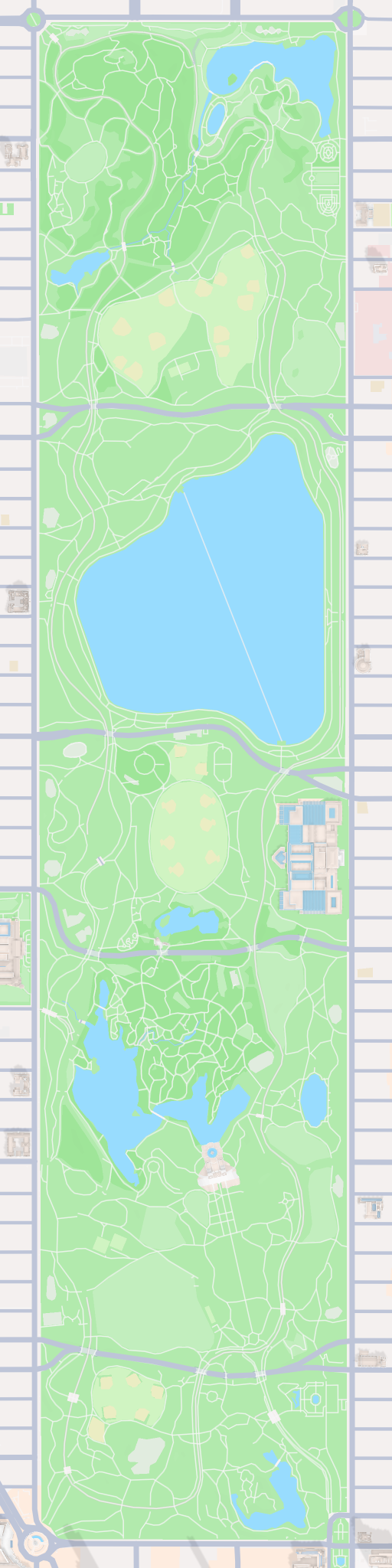
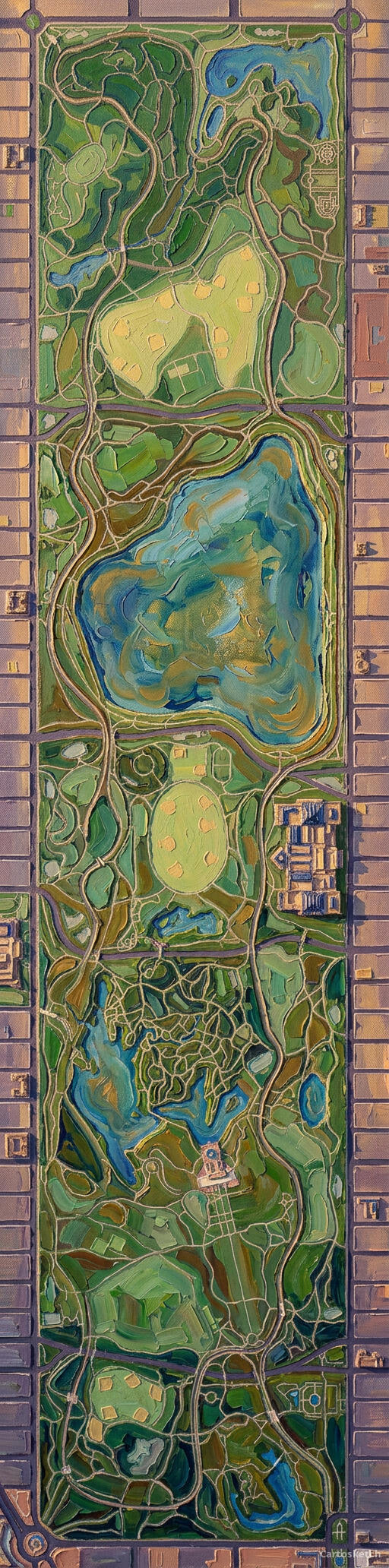 Cartosketch
Mapbox
Cartosketch
Mapbox
And on GPS routes
Routes are even harder for prompt-driven tools. A marathon route is a specific polyline — every turn, every loop, every out-and-back — and there is no way to feed a GPX file into Midjourney. The best you can do is describe it in words ("a marathon route through downtown Boston, top-down, comic style") and accept that the resulting squiggle has nothing to do with the course you actually ran.
Cartosketch ingests the GPX directly. The browser parses it, draws the real track on a Mapbox canvas, and that canvas — with the route, distance, and elevation already laid out — is what the AI restyles. The line on the wall is the line you ran.
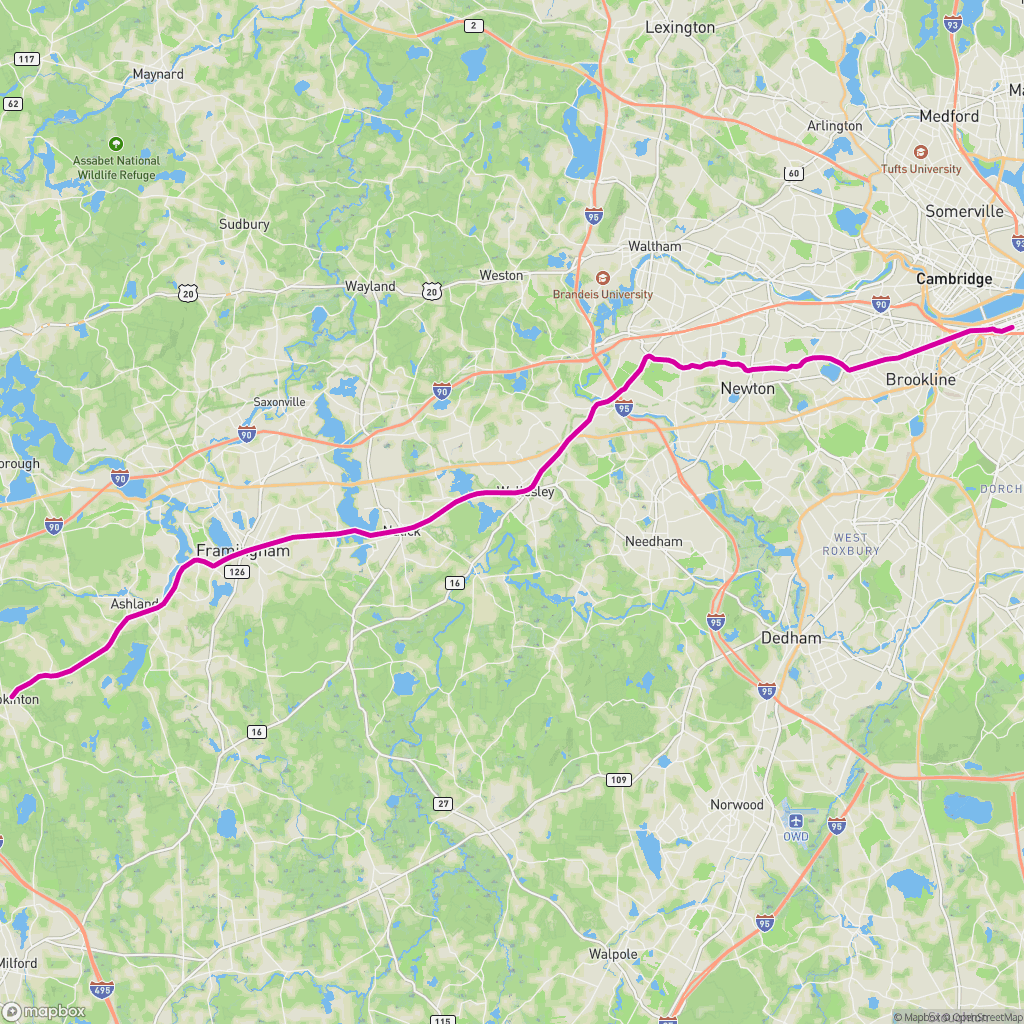
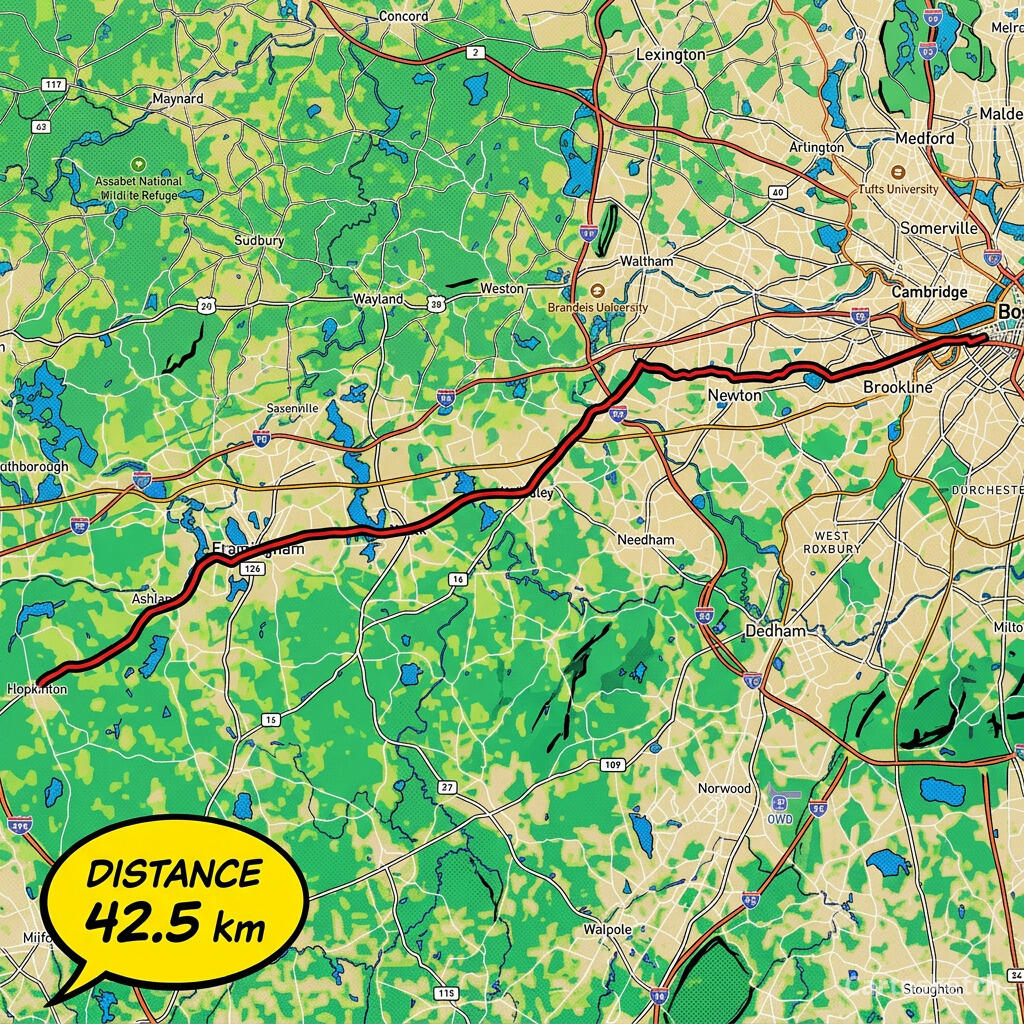 Cartosketch
GPX on Mapbox
Cartosketch
GPX on Mapbox
Dimension-by-dimension
| Dimension | Midjourney | Cartosketch |
|---|---|---|
| Input | Text prompt (+ optional image/style refs) | Mapbox map view, or a GPX / FIT route file |
| Geographic accuracy | Plausible but invented | Preserved from real Mapbox data |
| GPS route support | None — describe in words and hope | Native — upload GPX/FIT, route shape is exact |
| Style variety | Very wide, open-ended | 17 curated styles tuned for map readability |
| Output resolution | Up to ~2K (upscale to ~4K) | Up to 4K on paid plans |
| Print & commercial use | Allowed on paid plans, with restrictions | Included on every paid plan |
| Route stats overlay | n/a | Built-in distance, elevation, and time card |
| Learning curve | Prompt craft + Discord/web UI | Pick a place, pick a style, generate |
When to use which
How Cartosketch does it
- For a place: open New Map, search the location, and frame it on Standard or Satellite.
- For a route: open New Route and drop in a GPX or FIT file (Strava, Garmin, or the official course file).
- Pick one of the curated styles — watercolor, comic, ink wash, ligne claire, blueprint, and more.
- Generate. The real geography is locked in by the canvas capture; the AI restyles what is already there.
- Download up to 4K and print. Commercial use is included on every paid plan.
Frequently asked questions
- Can Midjourney draw a real city map if I prompt it carefully enough?
- It can produce an image that reads as that city, with recognisable landmarks in roughly the right place. It cannot reproduce the actual street layout — there is no map-grounded conditioning in the model. Cartosketch keeps the layout exact by using a real Mapbox capture as the input.
- Can I upload a GPX file to Midjourney?
- No. Midjourney accepts text prompts and image references; it has no concept of a GPX or FIT file. Cartosketch ingests both natively and draws the real track on a map before restyling.
- Which tool is better for wall art?
- It depends on what you want on the wall. A real place — your neighbourhood, your race, a honeymoon coastline — is what Cartosketch is for. A purely imagined scene is what Midjourney is for.
- Is Cartosketch really running its own model?
- Cartosketch runs on Gemini under the hood, but the value is the pipeline around it: Mapbox capture, GPX rendering, a curated style library, watermarking, and a 4K print-ready output. Direct model access alone does not give you any of that.
New accounts get one free credit — no credit card required.