
Ligne Claire Map Art: Turn Any Landmark Into a Clean Comic Illustration
Turn a real landmark, city square, or neighbourhood into Ligne Claire map art with precise ink lines and flat colour. Real Mapbox geography, a classic European comic look, and print-ready resolution up to 4K.
All artwork in this article was generated with Cartosketch — an AI tool that re-styles real Mapbox geography and GPS routes.
Ligne Claire gives a map the clarity of a beautifully drawn European comic. Every building, street, and river edge is described with a clean, even outline, while flat blocks of colour keep the scene bright and readable. There is no heavy shading or noisy texture to compete with the place itself. The result feels precise, playful, and made for a frame. This guide shows how to turn any real location into crisp Ligne Claire map art.
A short history of Ligne Claire
Ligne Claire means "clear line." The style is closely associated with Belgian artist Hergé and The Adventures of Tintin, which began publication in 1929. Its visual grammar is deliberately disciplined: outlines keep a consistent weight, colours sit in clean flat areas, and forms are not modelled with dense hatching or dramatic shadows. Dutch cartoonist Joost Swarte coined the term in 1977 while describing this earlier Franco-Belgian comic tradition. What began as a practical, readable way to tell stories became a design language recognised for precision, optimism, and visual order.
Why Ligne Claire works on a map
A map already depends on clear edges. Streets divide blocks, rivers trace smooth boundaries, and landmarks are recognised by their silhouettes. Ligne Claire strengthens those same signals. Even ink lines separate each form, flat colour makes buildings and open space easy to read, and restrained detail keeps a dense city from becoming muddy. It works especially well for monuments, European old towns, civic squares, bridges, and waterfronts with one unmistakable focal point.
The geography stays grounded in the real Mapbox view you frame. The footprint of the landmark, the surrounding streets, the river, and the nearby blocks all come from the actual place. AI redraws that structure with clear outlines and flat colour; it does not start from a generic comic city.
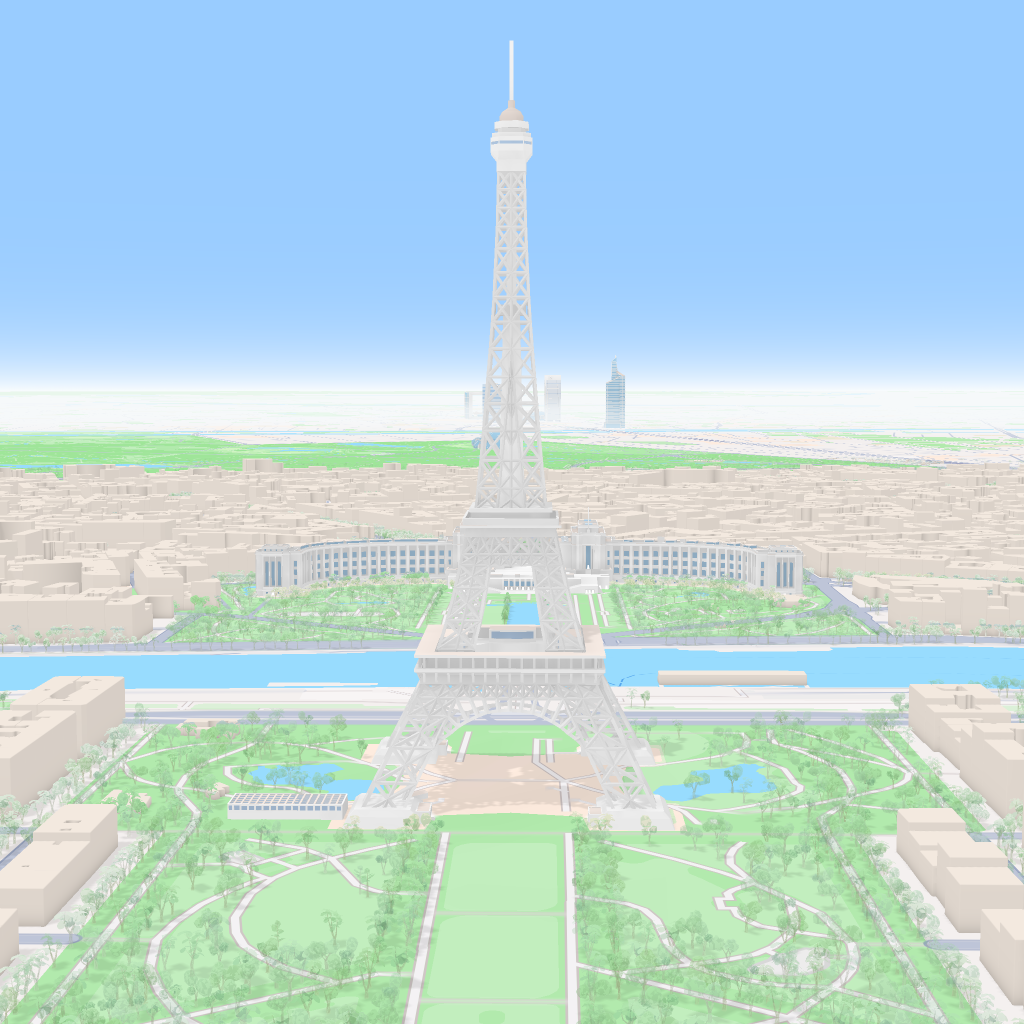
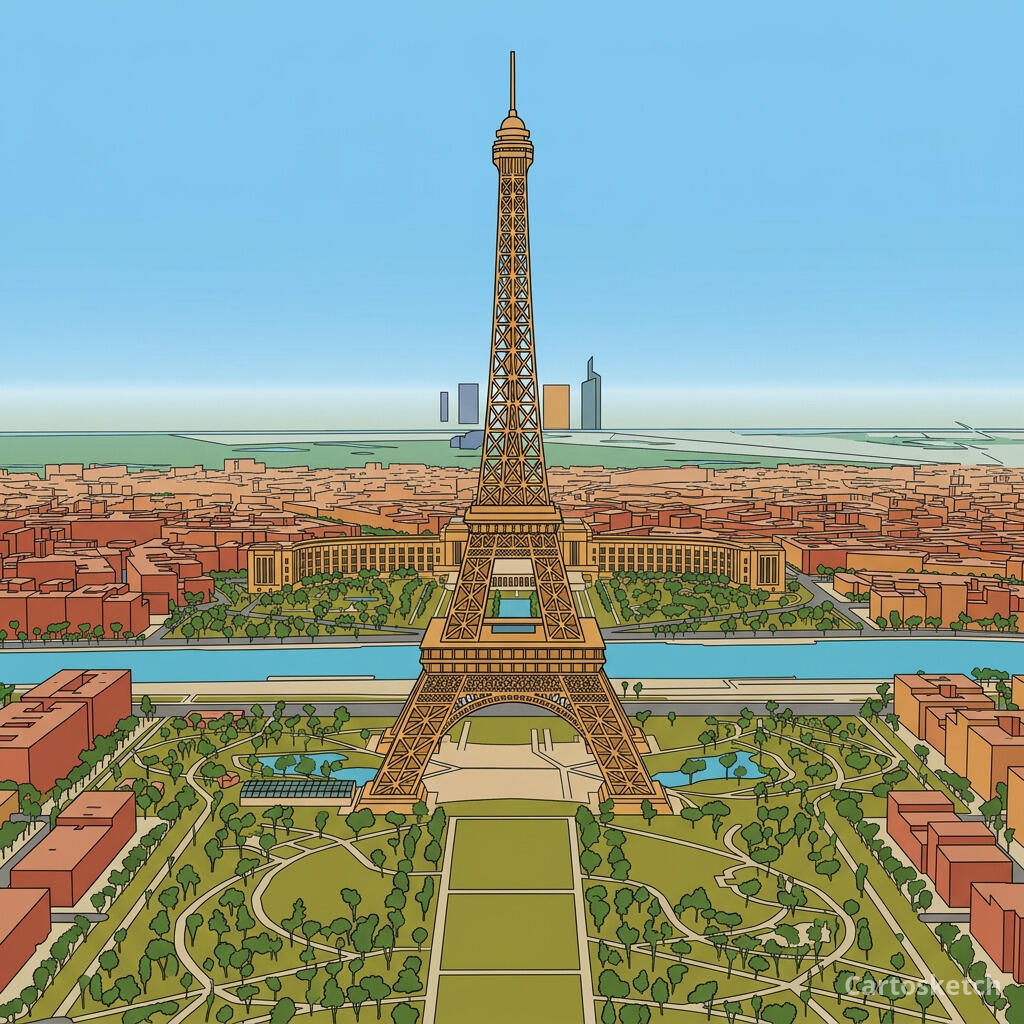 Cartosketch
Mapbox
Cartosketch
Mapbox
How to make your own
- Open Cartosketch → New Map, search the place or drag the map to frame it.
- Pick Standard or Satellite; adjust zoom, bearing, and pitch until the landmark has a clear silhouette.
- Choose the Ligne Claire style.
- Generate — in seconds you get a finished piece with the real geography preserved.
- Download up to 4K and print or frame it. Commercial use is included on every plan.
Ligne Claire or comic book style?
Both styles use outlines and flat colour, but their moods are different. Comic book style is louder: thick black ink, high-saturation colour, halftone dots, and dramatic contrast. Ligne Claire uses a more even line, cleaner surfaces, and little or no visible shading. Choose Comic when you want pop-art energy; choose Ligne Claire when you want architectural detail and a calm, storybook finish.
Print sizes & resolution
| Plan | Max resolution | Aspect ratio | Good for |
|---|---|---|---|
| Free | 0.5K | 1:1 square | Social posts, a quick test print |
| Paid | Up to 4K | Any (incl. portrait/landscape) | Framed wall art, large-format prints |
Frequently asked questions
- Is this AI?
- Yes. Cartosketch re-styles real Mapbox geography with an AI model — the layout is real and preserved; the Ligne Claire linework and flat colour are generated.
- Is it the real place, or a generic illustration?
- The real place. It is built from the actual map view you frame, so streets, water, building footprints, and landmarks match the location.
- How is Ligne Claire different from comic book style?
- Ligne Claire uses even outlines, flat colour, and minimal shading for a clean, precise finish. Comic book style is bolder and more dramatic, with heavier ink, saturated colour, and halftone texture.
- Can I print and sell it?
- Print at any size up to your plan's resolution; commercial use is included on every plan. Just don't reuse an official name or logo as branding.
- How much does it cost?
- New accounts get one free credit. Paid plans add higher resolution (up to 4K), custom aspect ratios, and more credits.
New accounts get one free credit — no credit card required.