
Pixar Style Map Art: Turn Any Place Into a Whimsical 3D Animation Scene
Turn a real place — your city, a coastal harbor, or Burano's colorful canals — into a Pixar-style 3D map. Real Mapbox geography, cute 3D volumetric lighting, and print-ready resolution up to 4K.
All artwork in this article was generated with Cartosketch — an AI tool that re-styles real Mapbox geography and GPS routes.
Pixar style transforms standard map geography into a whimsical, miniature-like 3D environment that feels straight out of an animated movie masterpiece. Famous for its soft global illumination, rounded toy-like shapes, and warm color palette, this style turns everyday streets and shorelines into a comforting, playful playground. There are no cold digital lines here—only the tactile warmth of a clay-model set ready to be printed and framed. This guide shows you how to turn any real-world location into a stunning Pixar-inspired 3D map print.
A short history of Pixar style
Pixar Animation Studios, founded in 1986 in California, revolutionized the film industry with the release of *Toy Story* (1995), the world’s first fully computer-animated feature film. Over the subsequent decades, Pixar defined the visual language of modern 3D animation. Their signature aesthetic is defined by soft, realistic global illumination, appealingly rounded and slightly stylized geometries, and a rich, warm, and highly saturated color palette. Rather than striving for cold photo-realism, Pixar's visual design prioritizes texture, volumetric lighting, and a sense of childlike wonder, making every character and environment feel tactile, warm, and alive.
Why Pixar style works on a map
A traditional flat map tells you where roads go, but a Pixar-style map invites you to play. It reimagines real-world buildings as smooth, toy-like blocks with rounded corners and clay-like finishes. City grids are transformed into colorful toy sets, coastal shorelines become smooth sandy banks, and waterways reflect a bright, glossy glow. This cheerful, warm aesthetic is perfect for places associated with joy, nostalgia, or adventure—a childhood neighborhood, a favorite vacation town, a university campus, or a historic city filled with colorful architecture.
The geography stays grounded in the real Mapbox view you frame. The layout of the streets, the curve of the coastline, and the positions of key landmarks are all preserved from actual data. The AI then re-images these elements into tactile 3D blocks with Pixar-style clay textures and volumetric lighting, retaining the true layout while turning it into a beautiful toy-world illustration.
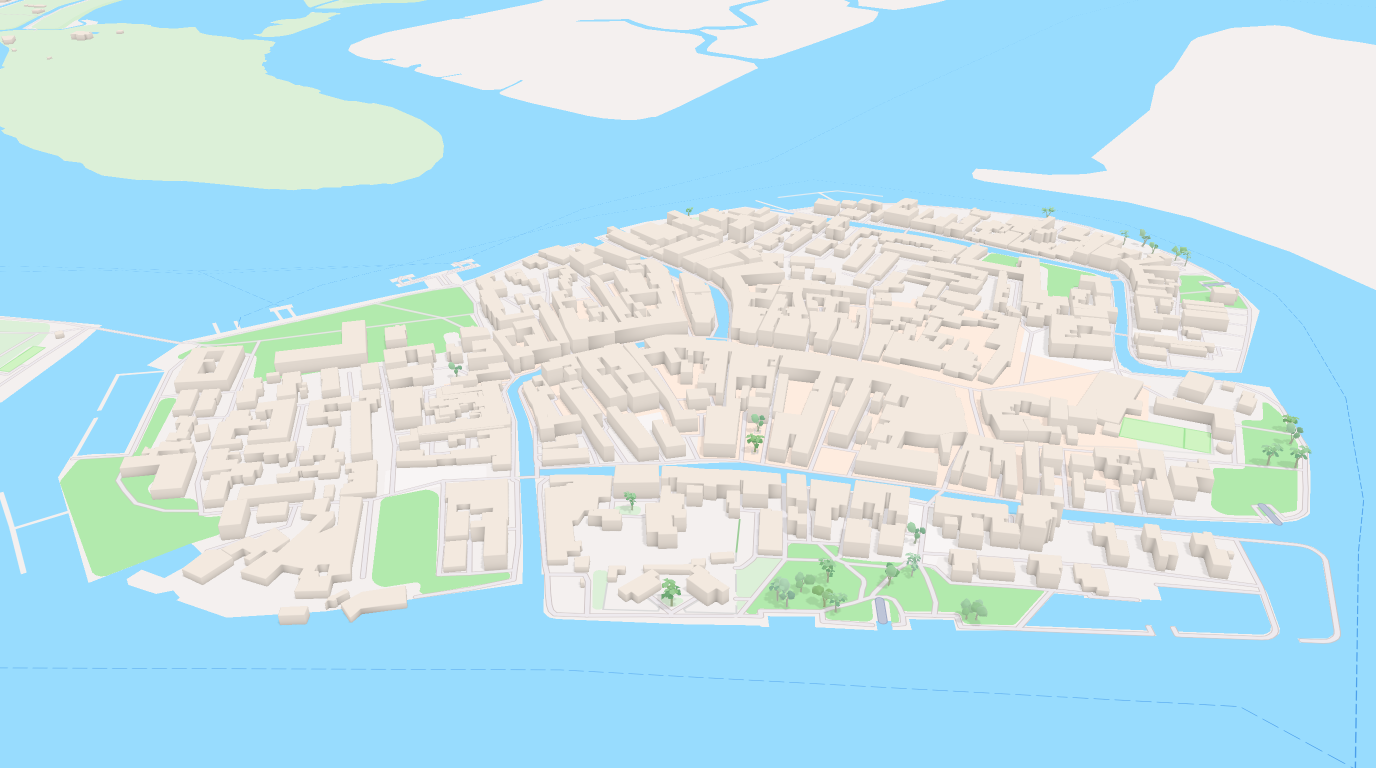
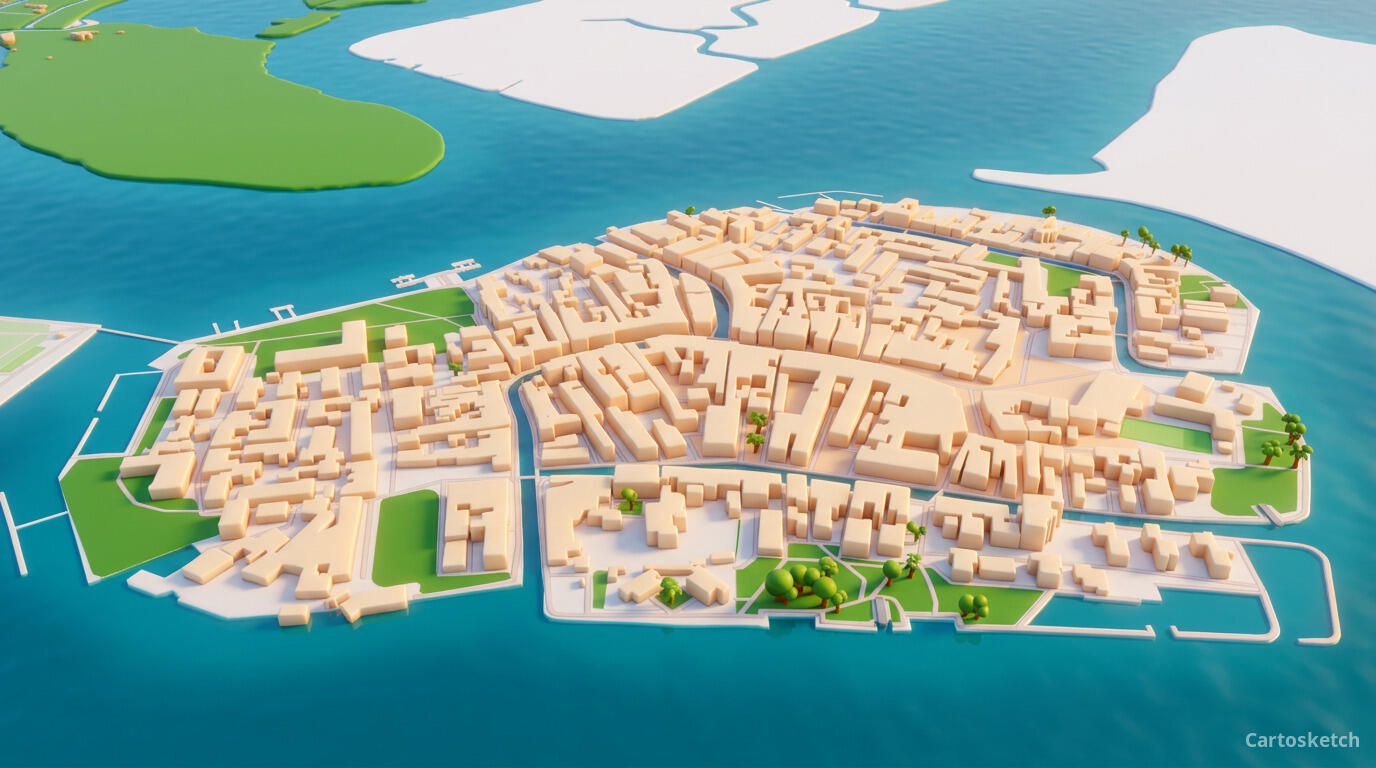 Cartosketch
Mapbox
Cartosketch
Mapbox
How to make your own
- Open Cartosketch → New Map, search the place or drag the map to frame it.
- Pick Standard or Satellite; set zoom, bearing, and pitch to capture the composition.
- Choose the Pixar style.
- Generate — in seconds you get a finished piece with the real geography preserved.
- Download up to 4K and print or frame it. Commercial use is included on every plan.
Print sizes & resolution
| Plan | Max resolution | Aspect ratio | Good for |
|---|---|---|---|
| Free | 0.5K | 1:1 square | Social posts, a quick test print |
| Paid | Up to 4K | Any (incl. portrait/landscape) | Framed wall art, large-format prints |
Frequently asked questions
- Is this AI?
- Yes. Cartosketch re-styles real Mapbox geography with an AI model — the layout is real and preserved; the Pixar-inspired 3D toy look is generated.
- Is it the real place, or a generic illustration?
- The real place. It is built from the actual map view you frame, so streets, coastlines, and landmarks match reality.
- How is Pixar style different from Minecraft style?
- While both belong to the 3D & Game category, Minecraft style turns the map into sharp-edged, low-resolution voxel blocks resembling the popular sandbox game. Pixar style focuses on smooth, rounded shapes, clay-like textures, and high-quality global illumination that feels like a professional 3D animated film scene.
- Can I print and sell it?
- Print at any size up to your plan's resolution; commercial use is included on every plan. Just don't reuse an official name or logo as branding.
- How much does it cost?
- New accounts get one free credit. Paid plans add higher resolution (up to 4K), custom aspect ratios, and more credits.
New accounts get one free credit — no credit card required.