
Cartosketch vs. Freepik / Magnific: Creative Suite Polish Without GPX Geometry
Freepik and Magnific are broad AI creative tools for generating, editing, and enhancing images. Cartosketch is narrower: real map and GPS route art with geography preserved.
All artwork in this article was generated with Cartosketch — an AI tool that re-styles real Mapbox geography and GPS routes.
Freepik / Magnific is a broad creative platform: image generation, editing, upscaling, assets, and design workflows. Cartosketch is intentionally narrower. It does one job: turn a real map location or GPS route into AI-styled artwork while keeping the geography visible.
All sketches in this article were generated with Cartosketch - an AI tool that re-styles real Mapbox geography and GPS routes.
Broad creative suite vs narrow geography tool
Freepik / Magnific is useful because it covers many creative tasks. You can generate images, edit visuals, enhance or upscale output, and work from a large design asset ecosystem. That breadth is the point.
Cartosketch is useful because it is specific. Instead of asking a general AI tool to imagine a map, it captures a real map or route first, then restyles that source.
 Mapbox
 Cartosketch
Where Freepik / Magnific wins
Freepik / Magnific is a better fit for general creative production:
- Generating non-map campaign visuals.
- Editing or enhancing existing images.
- Upscaling artwork for sharper output.
- Finding stock-like design resources, textures, mockups, or supporting assets.
- Creating many types of content from one platform.
If the job is "make a strong visual" and the exact geography is not the constraint, a broad creative suite is often more flexible.
Where Cartosketch wins
Cartosketch is a better fit when the image is only useful if the real-world structure survives:
- A city, island, lake, neighborhood, or landmark needs to remain recognizable.
- A GPX/FIT route from a run, ride, hike, or race needs to stay exact.
- The output should look artistic without becoming a fictional map.
- You want to compare styles quickly on the same real geography.
General AI image tools can produce beautiful map-like images, but they often treat maps as visual motifs. Cartosketch treats the map as source data.
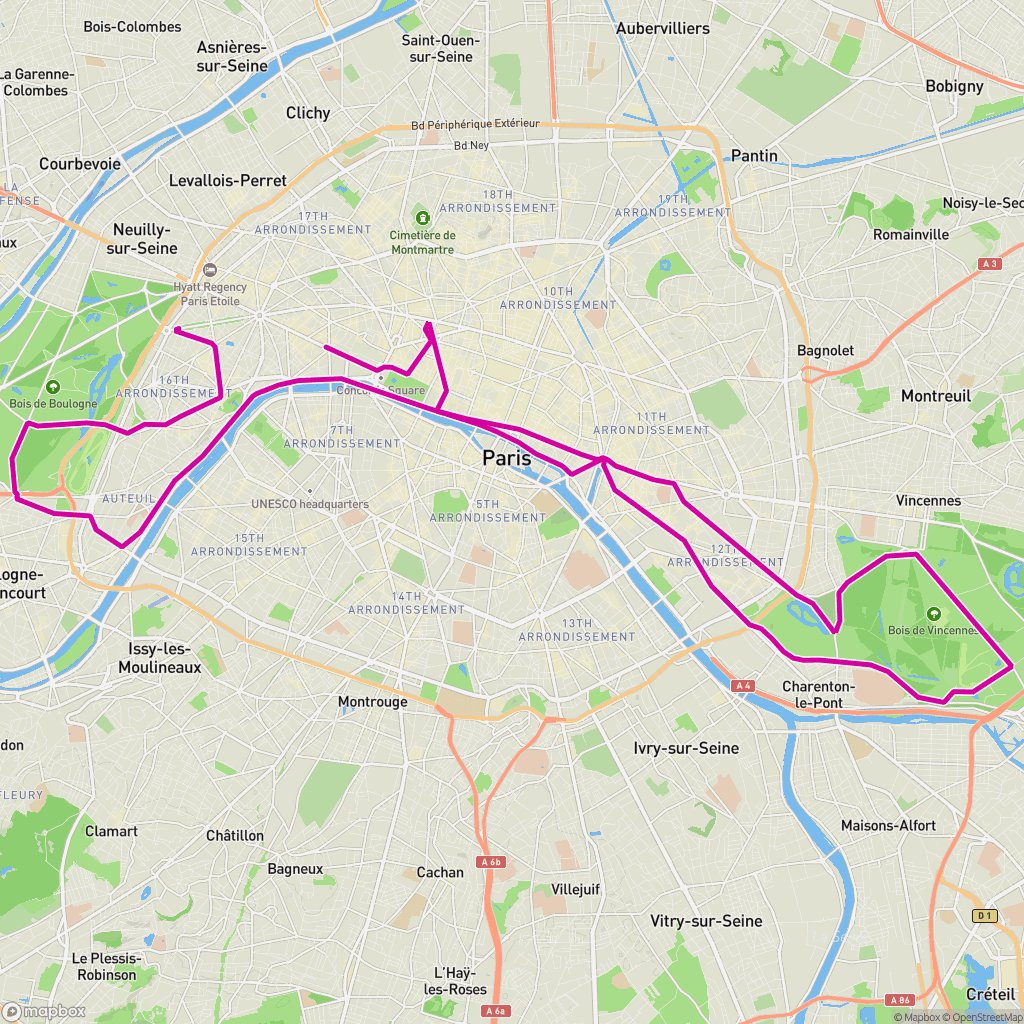 GPX on Mapbox
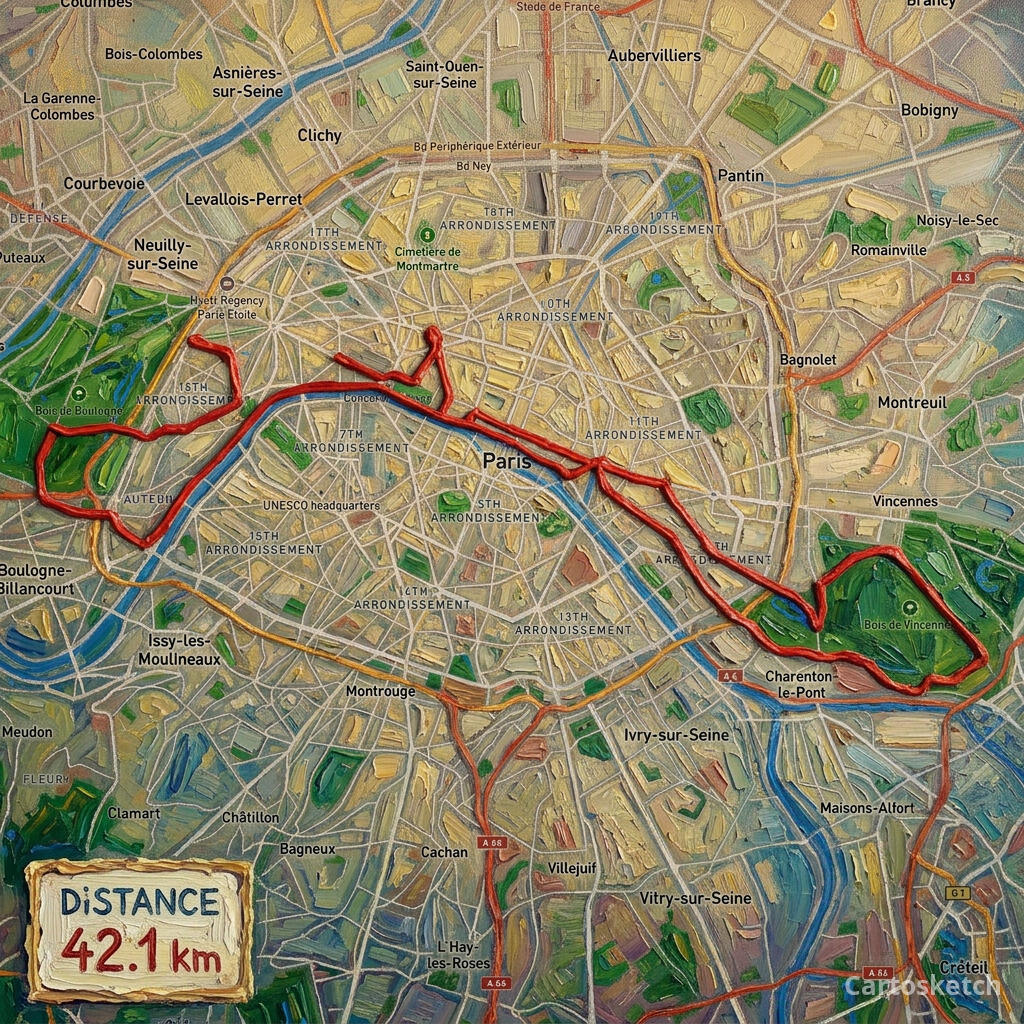 Cartosketch
The best combined workflow
The strongest workflow is not always either-or:
- Generate the real place or route in Cartosketch.
- Download the map or route artwork.
- Use Freepik / Magnific, Canva, Adobe, Figma, or Recraft for typography, mockups, enhancement, or campaign layouts.
That keeps the geography honest while still letting a broad creative suite do what it does best: finishing.
| Question | Freepik / Magnific | Cartosketch |
|---|---|---|
| Main job | Broad AI creative production | Real map and route art generation |
| Best input | Prompt, image, asset, design need | Mapbox capture, GPX route, FIT route |
| Geography constraint | Not the core workflow | Core workflow |
| Route geometry | Not built around GPX/FIT | Built around route files |
| Best use together | Polish, upscale, mock up, extend | Generate the geography-first source image |
How to choose
Choose Freepik / Magnific if you are building a full creative campaign, need broad asset coverage, or want advanced image enhancement.
Choose Cartosketch if your poster, thumbnail, gift, or print only works when the map or route remains real. For more design-suite comparisons, read Cartosketch vs. Adobe Firefly + Canva, Cartosketch vs. Recraft, and the AI map art generator comparison.
- Is Freepik / Magnific better than Cartosketch?
- For broad image generation and creative editing, Freepik / Magnific is broader. For real map and GPX route art, Cartosketch is more specialized.
- Can Freepik / Magnific make map posters?
- It can help create map-inspired poster visuals, but preserving exact map geography or route geometry is not its core workflow.
- Can I use both tools together?
- Yes. Generate the real geography in Cartosketch first, then use a creative suite for typography, mockups, upscaling, or layout finishing.
- Which tool should I start with for GPX route art?
- Start with Cartosketch. The GPX/FIT route should be rendered and preserved before any broader creative polishing happens.
New accounts get one free credit — no credit card required. Product details