
Mexican Folk Art Map Art: Turn Any Place Into a Festive Pattern
Turn a real place — your city, a plaza, a neighbourhood — into Mexican folk art map art with bright colour and floral pattern. Real Mapbox geography, handcrafted festive look, print-ready up to 4K.
All artwork in this article was generated with Cartosketch — an AI tool that re-styles real Mapbox geography and GPS routes.
Mexican folk art turns a map into a burst of colour and pattern. Streets and blocks fill with hot pinks, deep blues, and sunny yellows, edged with hand-painted flowers and the look of cut paper. It is warm, festive, and joyfully decorative — a place transformed into a celebration. This guide shows how to take any real location and restyle it as Mexican folk art.
A short history of Mexican folk art
Mexican folk art — *arte popular* — is a living tradition of handcraft passed down through generations of artisans. It spans the blue-and-white *Talavera* ceramics of Puebla, the delicate *papel picado* banners cut from tissue paper for festivals, and the brightly painted woodcarvings and embroidery of Oaxaca. What unites these crafts is not a single subject but a shared spirit: saturated, fearless colour, symmetrical floral and geometric patterns, handmade edges, and an unmistakable sense of celebration. It is decorative art at its most generous and warm — pattern made to bring joy — and that is exactly what it brings to a map.
Why Mexican folk art style works on a map
A street layout gives folk art a natural canvas of shapes to fill and decorate. Blocks become panels of saturated colour, edges bloom with painted flowers and scalloped borders, and squares and parks turn into ornamental motifs. A bold, high-contrast palette and crisp, handcrafted outlines turn an ordinary plan into something festive. It works for almost any place with character — historic centres, plazas, colourful neighbourhoods, and walkable old towns all translate beautifully into pattern and colour.
The geography stays exact. The run of the streets, the shape of the plaza, the lines of every block — all preserved from real Mapbox data, then re-coloured by AI in folk-art pattern. You're not generating a generic illustration; you're stylizing the real place you framed.
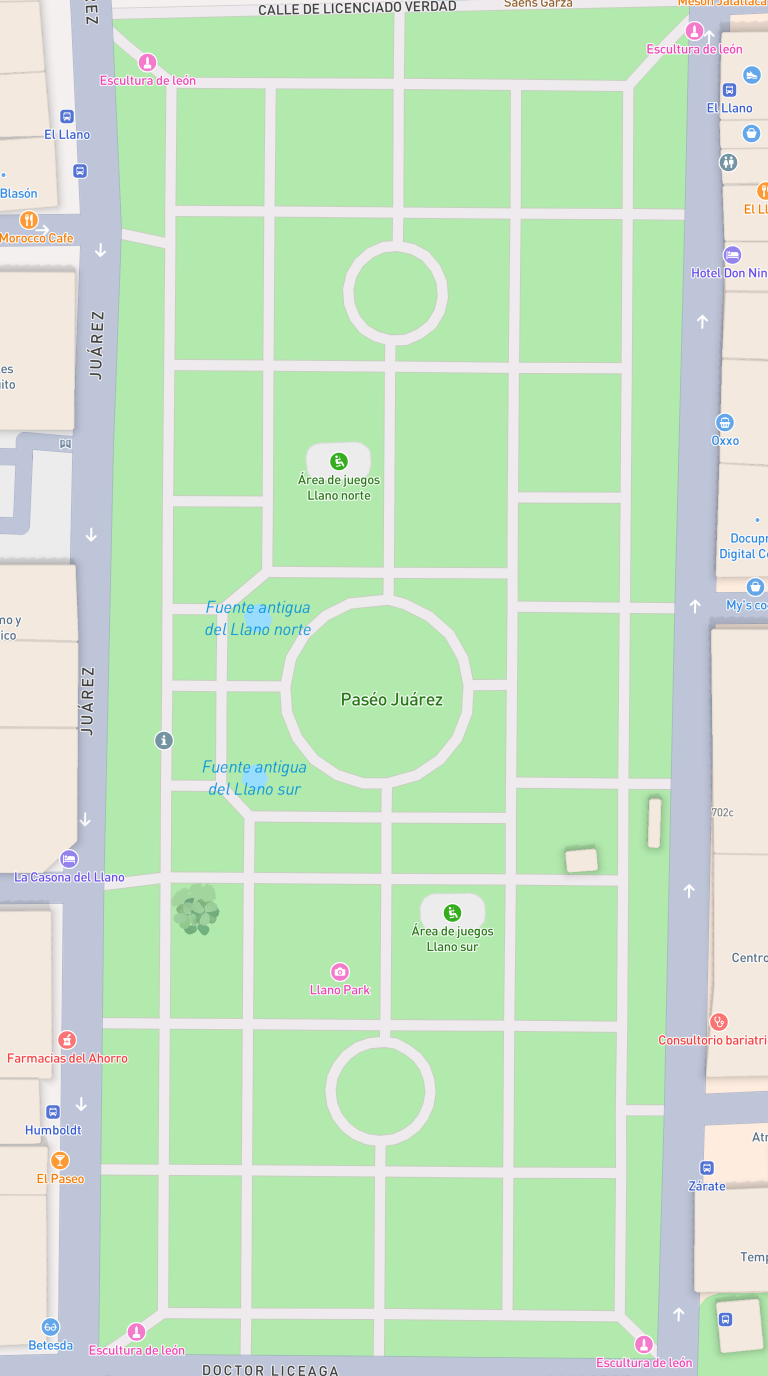 Mapbox
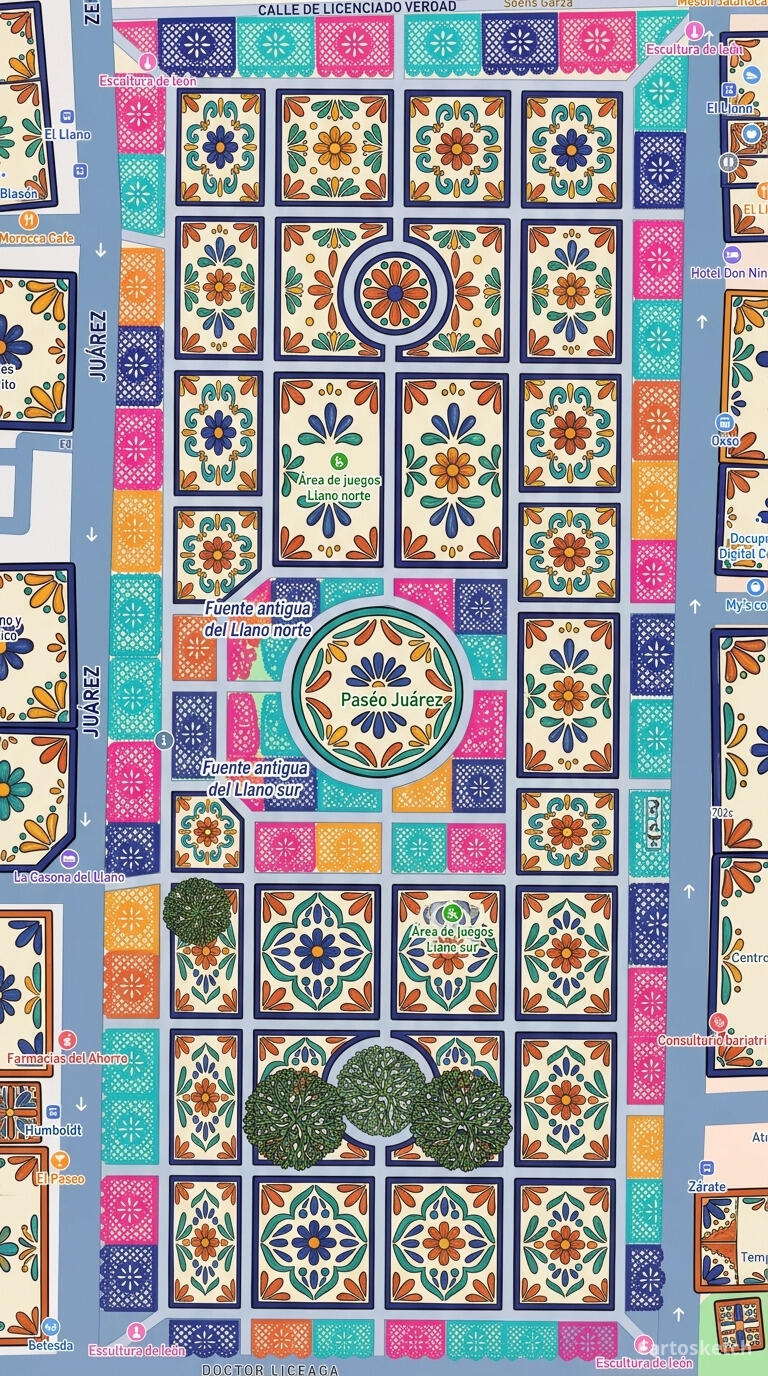 Cartosketch
How to make your own
- Open Cartosketch → New Map, search the place or drag the map to frame it.
- Pick Standard or Satellite; set zoom, bearing, and pitch until the composition feels right.
- Choose the Mexican Folk Art style.
- Generate — in seconds you get a finished piece with the real geography preserved.
- Download up to 4K and print or frame it. Commercial use is included on every plan.
Print sizes & resolution
| Plan | Max resolution | Aspect ratio | Good for |
|---|---|---|---|
| Free | 0.5K | 1:1 square | Social posts, a quick test print |
| Paid | Up to 4K | Any (incl. portrait/landscape) | Framed wall art, large-format prints |
Frequently asked questions
- Is this AI?
- Yes. Cartosketch re-styles real Mapbox geography with an AI model — the layout is real and preserved; the colour, pattern, and floral detail are generated.
- Is it the real place, or a generic illustration?
- The real place. It is built from the actual map view you frame, so streets, plazas, and landmarks match reality.
- Can I print and sell it?
- Print at any size up to your plan's resolution; commercial use is included on every plan. Just don't reuse an official name or logo as branding.
- How much does it cost?
- New accounts get one free credit. Paid plans add higher resolution (up to 4K), custom aspect ratios, and more credits.
New accounts get one free credit — no credit card required.